Observe ResourceSync And Two-phase Restore
ResourceSync synchronizes Kubernetes resource manifests so the target cluster has a ready standby skeleton.
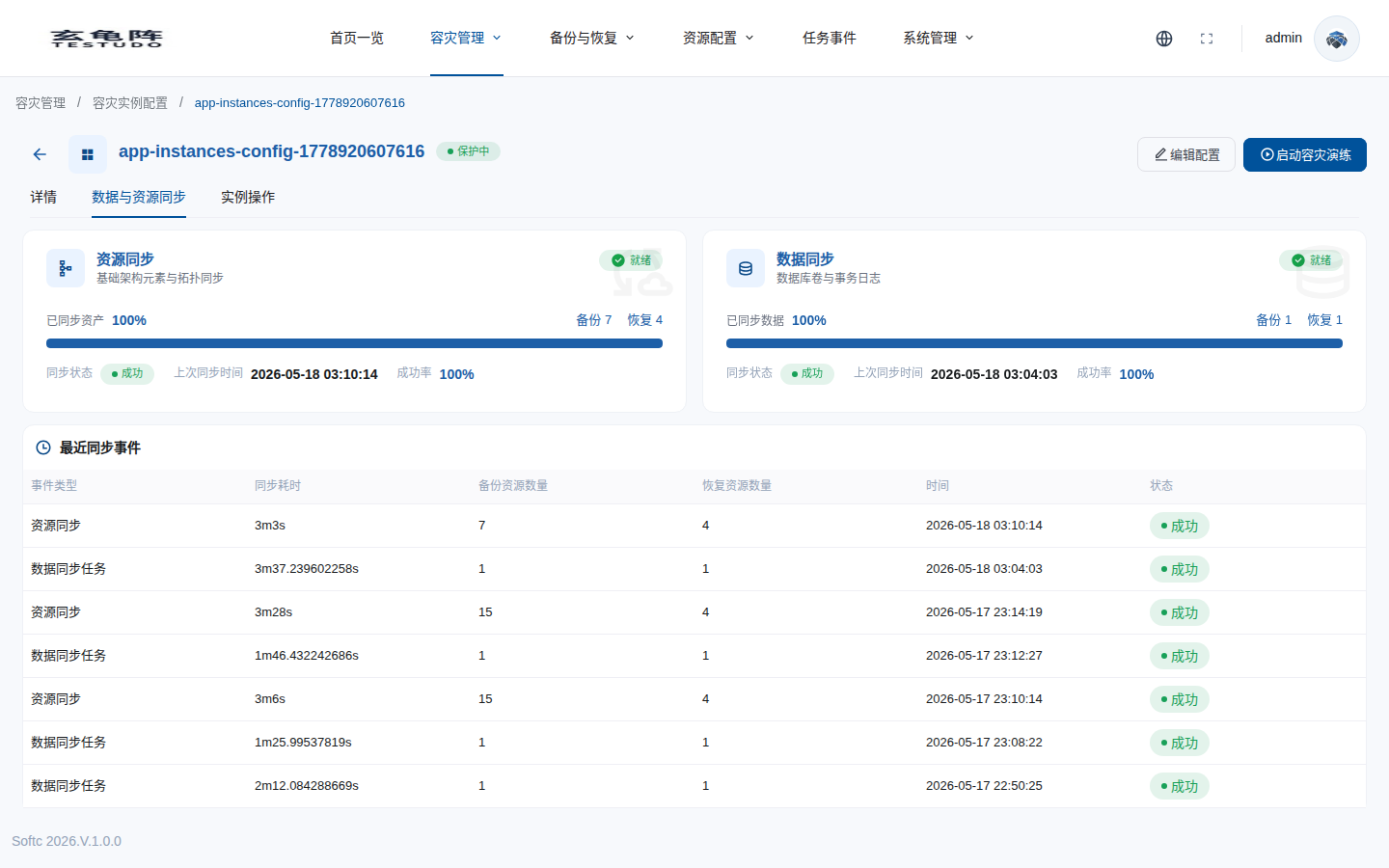
This page continues with docs-walkthrough-20260511. The Resource Sync Policy tab on the instance detail page shows both ResourceSync and DataSync status.
Common Resources
- Deployments, StatefulSets, and DaemonSets.
- Services.
- ConfigMaps and Secrets.
- PVC objects.
- Ingresses.
- Other namespace-scoped resources.
Standby Modifier
Target workloads are usually restored with replicas set to 0, while original replica counts are recorded for failover.
Page Modules
The sync tab reads:
GET /apis/disasterinstances.testudo.softcdata.com/v1/instances/:name/sync-status
| Card | Object | Purpose |
|---|---|---|
| Resource sync | ResourceSync | Synchronizes Kubernetes resource skeletons such as Deployments, Services, ConfigMaps, Secrets, and PVC objects. |
| Data sync task | DataSync | Synchronizes data-related objects such as PVC/PV resources. |
Each card shows backup count, restore count, status, last successful backup time, and success rate.
The real walkthrough returned:
| Object | Status | Backup count | Restore count | Last success |
|---|---|---|---|---|
ResourceSync | Ready | 9 | 4 | 2026-05-11 09:39:07 |
DataSync | Ready | 3 | 2 | 2026-05-11 09:39:40 |
Check Status
kubectl -n disaster-system get resourcesync dr-rs-docs-walkthrough-20260511
kubectl -n disaster-system describe resourcesync dr-rs-docs-walkthrough-20260511
kubectl -n disaster-system get datasync dr-ds-docs-walkthrough-20260511
Target resources should exist, but workloads should not serve production traffic before failover.
If a first sync stays InProgress, inspect DataSync/ResourceSync events first, then the related AppBackup, AppRestore, Velero Backup, and Velero Restore resources.