Configure Storage
Testudo stores backup data in object storage. Storage configuration usually maps to Velero BackupStorageLocation.
Storage Model
StorageRepository describes S3 or MinIO connection information, bucket, region, prefix, TLS, and credentials. The operator creates or validates Velero BSL resources in related clusters.
In the console, go to Resource Configuration / Storage Repository Configuration Management.
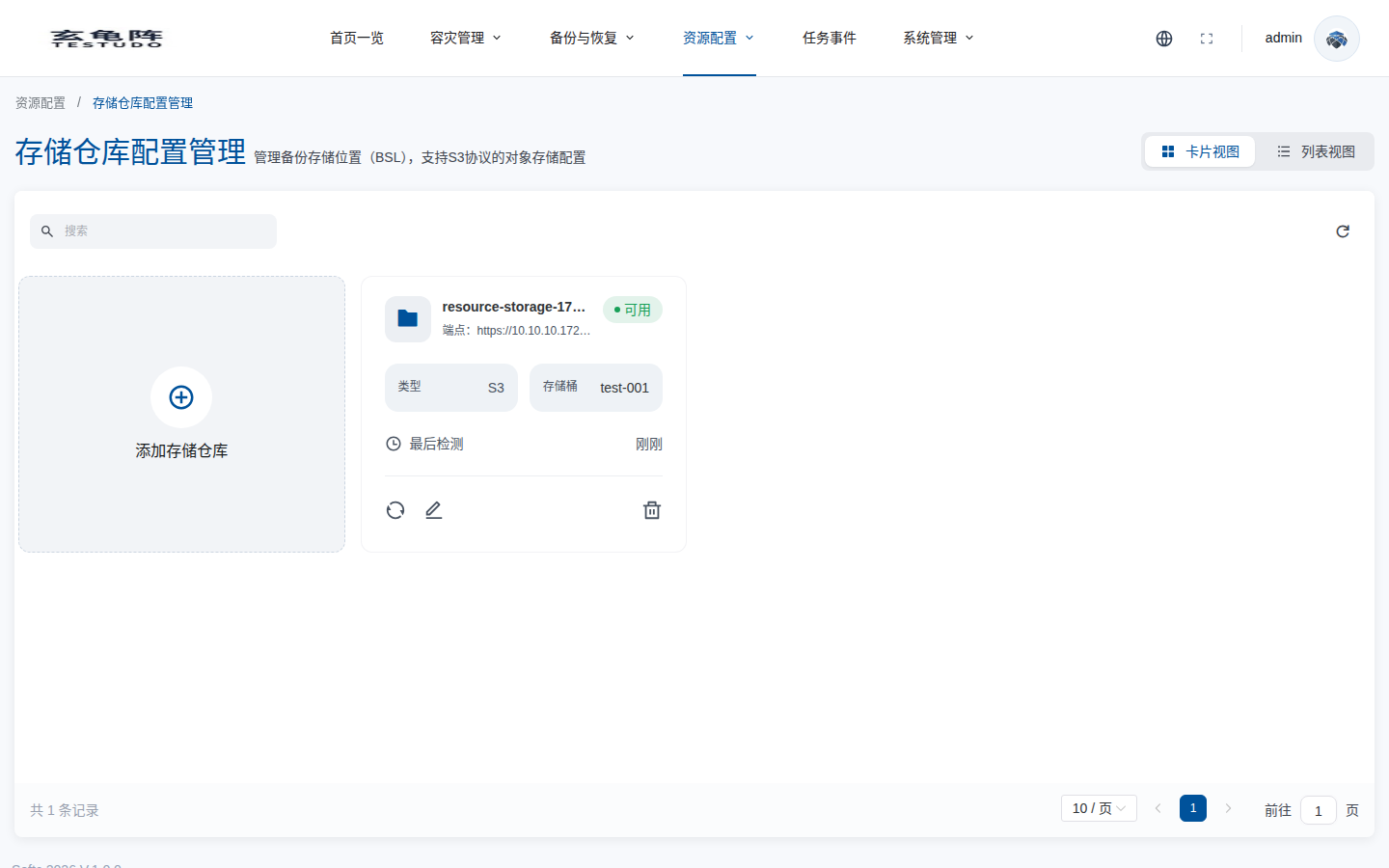
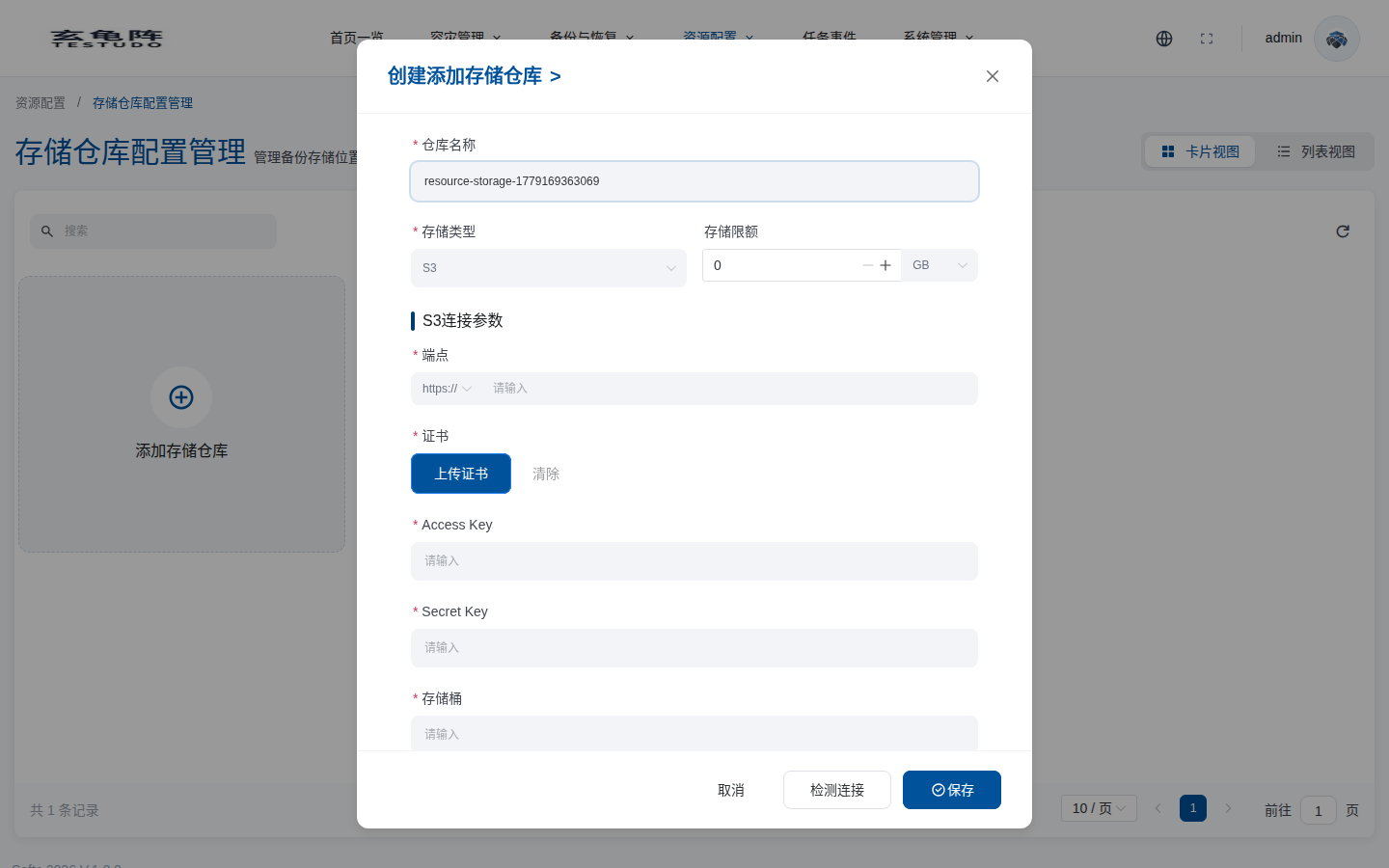
Click Add Storage Repository, choose the storage type, and fill in endpoint, certificate, access key, secret key, bucket, and region. Run Test Connection before saving.
Server APIs
GET /apis/storage.testudo.softcdata.com/v1/storagesPOST /apis/storage.testudo.softcdata.com/v1/storagesPUT /apis/storage.testudo.softcdata.com/v1/storages/:nameDELETE /apis/storage.testudo.softcdata.com/v1/storages/:namePOST /apis/storage.testudo.softcdata.com/v1/storages/validate/connection
Recommendations
- Both source and target clusters must be able to access the same backup storage. "Same" means the same object storage endpoint, bucket, region, and credential view, not two isolated storage backends configured separately for each cluster.
- A disaster configuration binds one
StorageRepositoryto both the source and target clusters. The source cluster writes Velero backups through it, and the target cluster reads those backups from the same repository during restore. - Keep endpoint, region, bucket, prefix, addressing style, and TLS/CA settings consistent across clusters. If any involved cluster cannot reach the storage, BSL validation, backup, or cross-cluster restore can fail.
- Enable bucket lifecycle policies, capacity alerts, access auditing, and credential rotation for production backups.
- If the object store uses a private CA, make sure Velero Pods in the management, source, and target clusters trust that CA.
For how Cluster, StorageRepository, and Velero BSL are bound together, see Cluster And Storage Binding.