Installation
Testudo is installed with the testudo-chart Helm Chart. The chart deploys:
disaster-operatordisaster-serverdisaster-web
By default, disaster-web is exposed through NodePort 30087, while disaster-server is exposed as ClusterIP 30081. The web component proxies backend traffic to http://disaster-server:30081.
Prerequisites
- A working Kubernetes management cluster.
- Helm v3.
- Pull access to the default public Docker Hub images, or preloaded images on the target nodes.
- An image pull Secret only when you use a private registry.
- cert-manager if webhook certificate management is enabled.
One-Command Install
Add the Helm repository and install the stack:
helm repo add testudo https://github.com/Softcdata/testudo-chart/releases/download/helm-repo
helm repo update

helm upgrade --install testudo testudo/testudo-chart \
  -n disaster-system \
  --create-namespace
The default install pulls public images from Docker Hub. For faster pulls in China, use the Aliyun ACR public image values file:
helm upgrade --install testudo testudo/testudo-chart \
  -n disaster-system \
  --create-namespace \
  -f https://github.com/Softcdata/testudo-chart/releases/download/helm-repo/values-aliyun.yaml
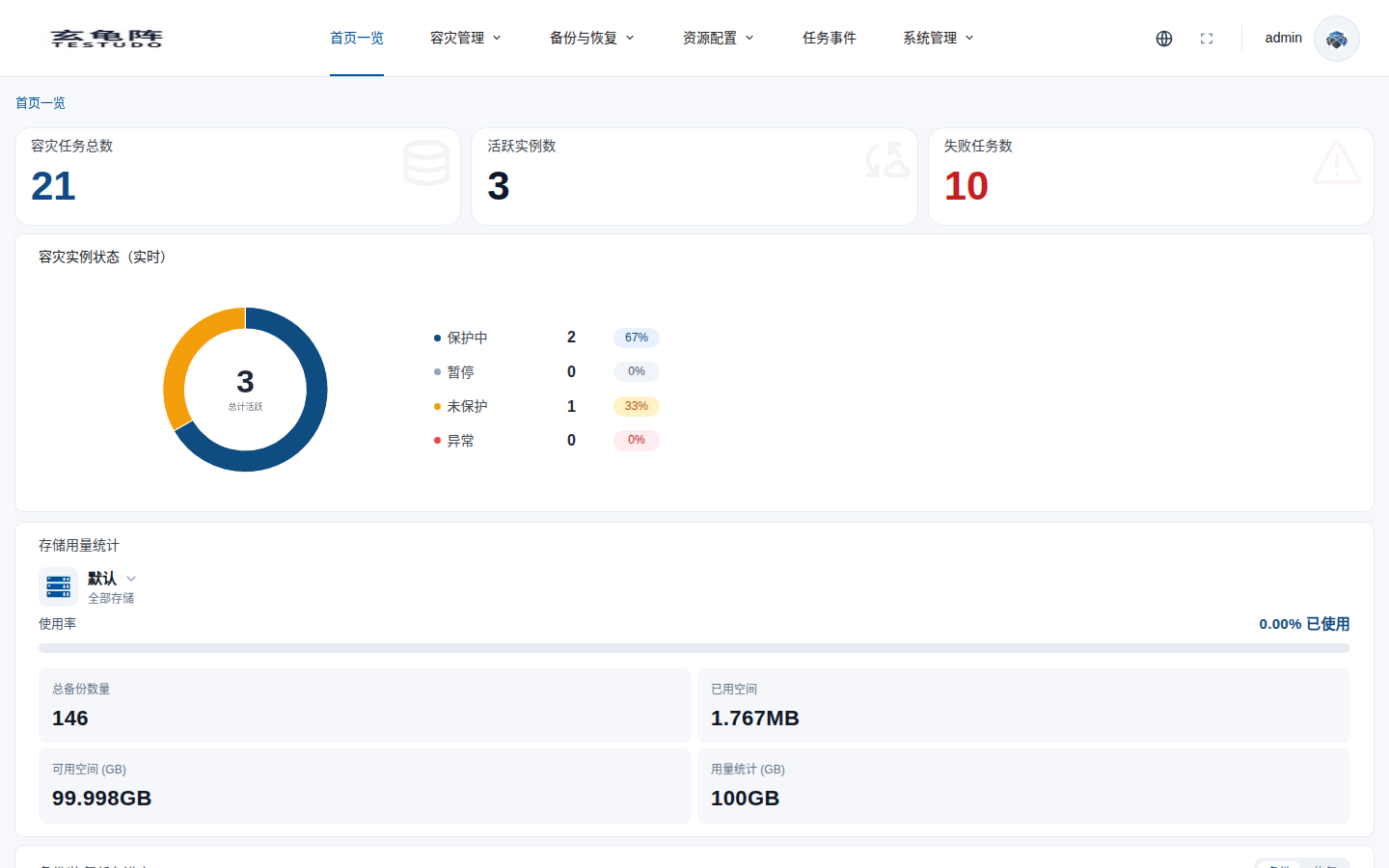
Access the console at:
http://<NodeIP>:30087
Private Registry
The default install uses public images and does not require an image pull Secret. If you mirror images into a private registry, create a pull Secret first:
kubectl create namespace disaster-system

kubectl -n disaster-system create secret docker-registry default-secret \
  --docker-server=<registry.example.com> \
  --docker-username=<username> \
  --docker-password='<password>' \
  --docker-email=<email@example.com>
Then reuse the Secret and override image repositories:
helm upgrade --install testudo testudo/testudo-chart \
  -n disaster-system \
  --create-namespace \
  --set imagePullSecret.existingSecret=default-secret \
  --set images.operator.repository=<registry.example.com>/softcdata/testudo-operator \
  --set images.server.repository=<registry.example.com>/softcdata/testudo-server \
  --set images.web.repository=<registry.example.com>/softcdata/testudo-web
Do not commit registry credentials to a public repository.
Custom Namespace
The chart writes metadata.namespace from global.namespace. If you install into another namespace, set both Helm namespace and global.namespace:
helm upgrade --install testudo testudo/testudo-chart \
  -n demo \
  --create-namespace \
  --set global.namespace=demo
Verify
helm ls -n disaster-system
kubectl get pods,svc -n disaster-system
kubectl api-resources | grep testudo.softcdata.com
For local access:
kubectl -n disaster-system port-forward svc/disaster-web 8087:80
Then open http://127.0.0.1:8087.
License
The default install does not create a real License Secret. Install a production license through POST /apis/v1/platform-license/install or disasterctl license install.