Backup And Restore Quickstart
This path validates the backup and restore chain: create an AppBackup from a source namespace, then create an AppRestore from that backup to a target cluster.
Prerequisites
- At least one registered Ready cluster.
- At least one Ready storage repository.
- A demo namespace such as
demo-bookinfo. - For cross-cluster restore, the target cluster can read the same object storage.
Create A Backup
Open Backup And Restore / Application Backup.
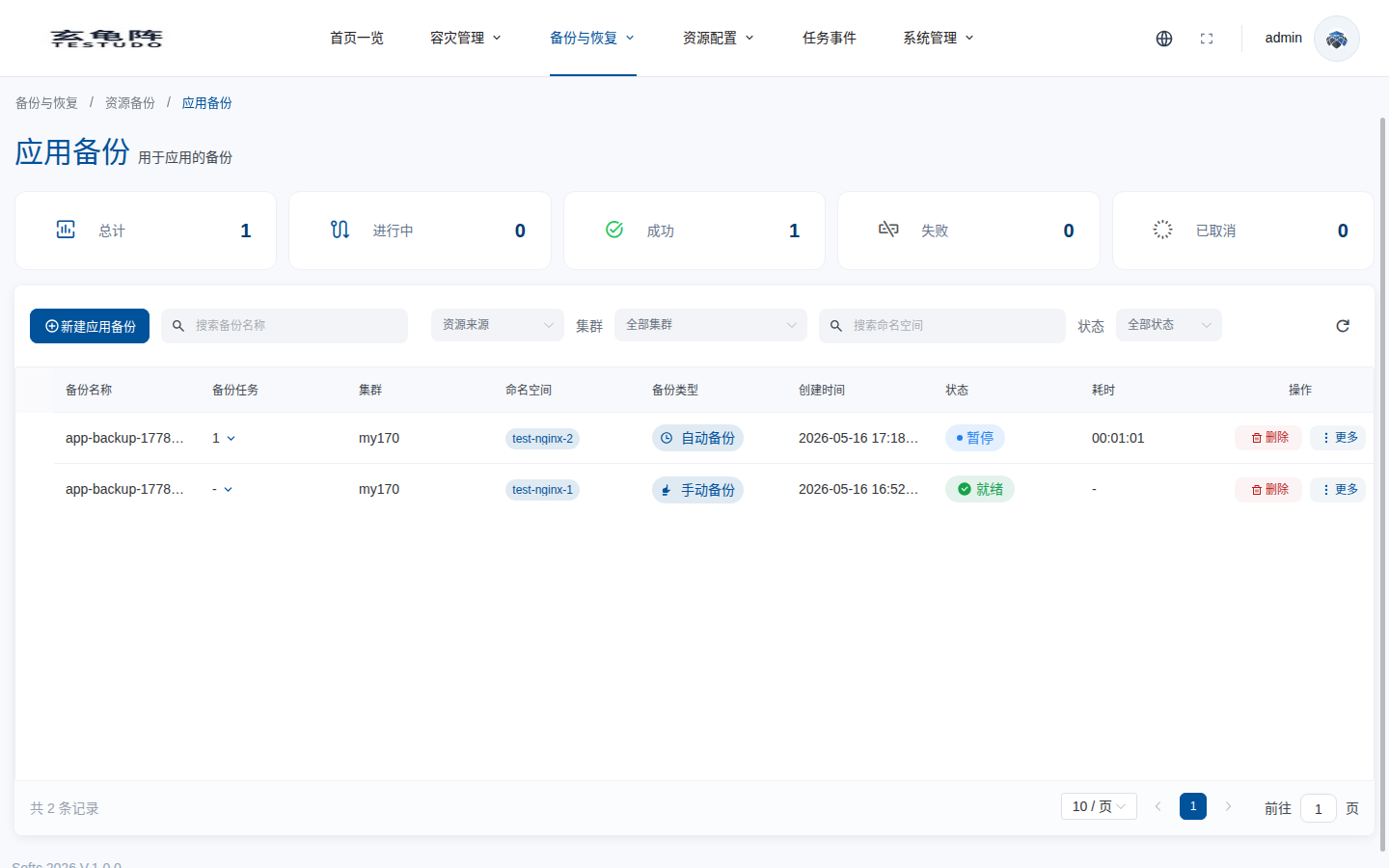
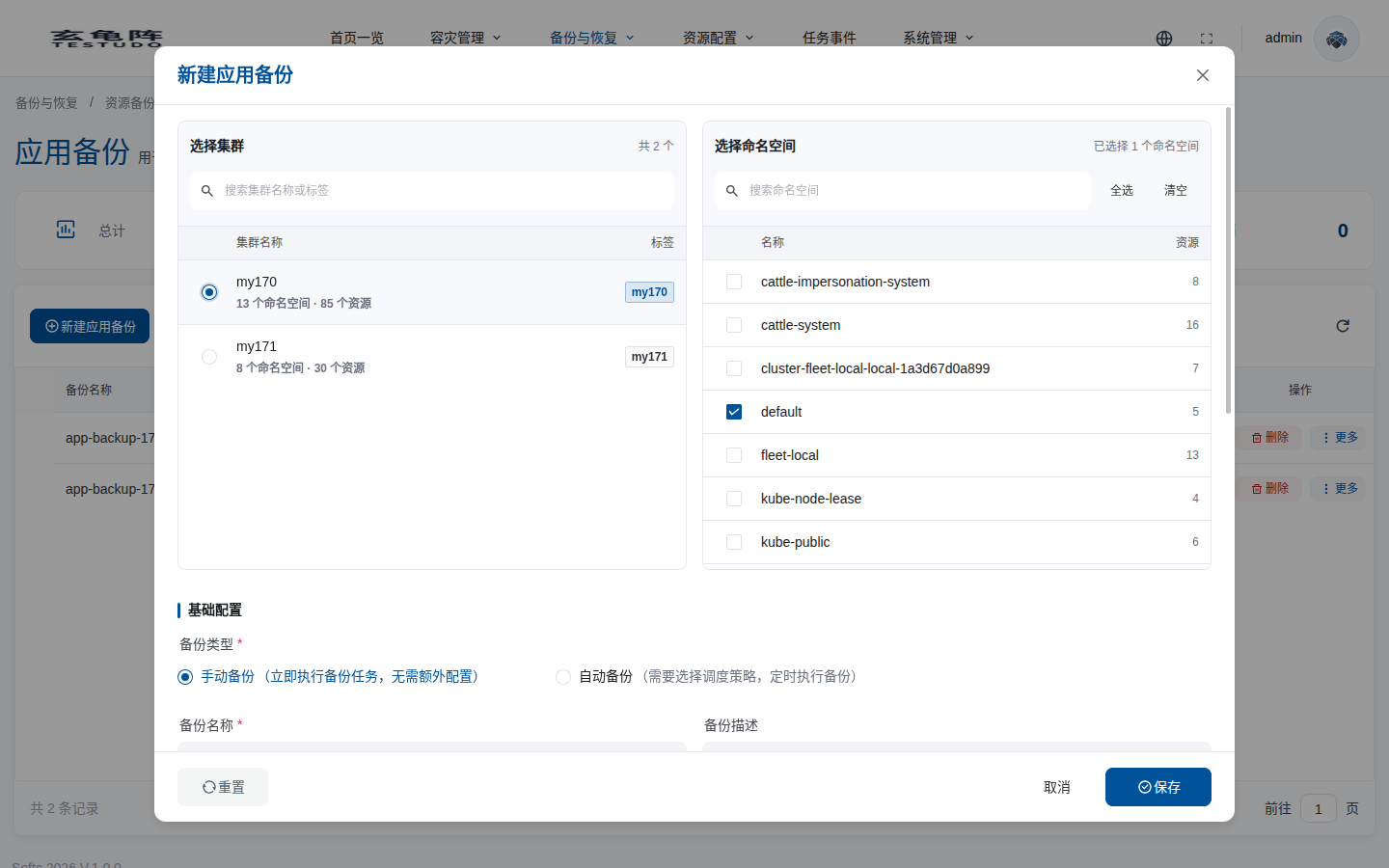
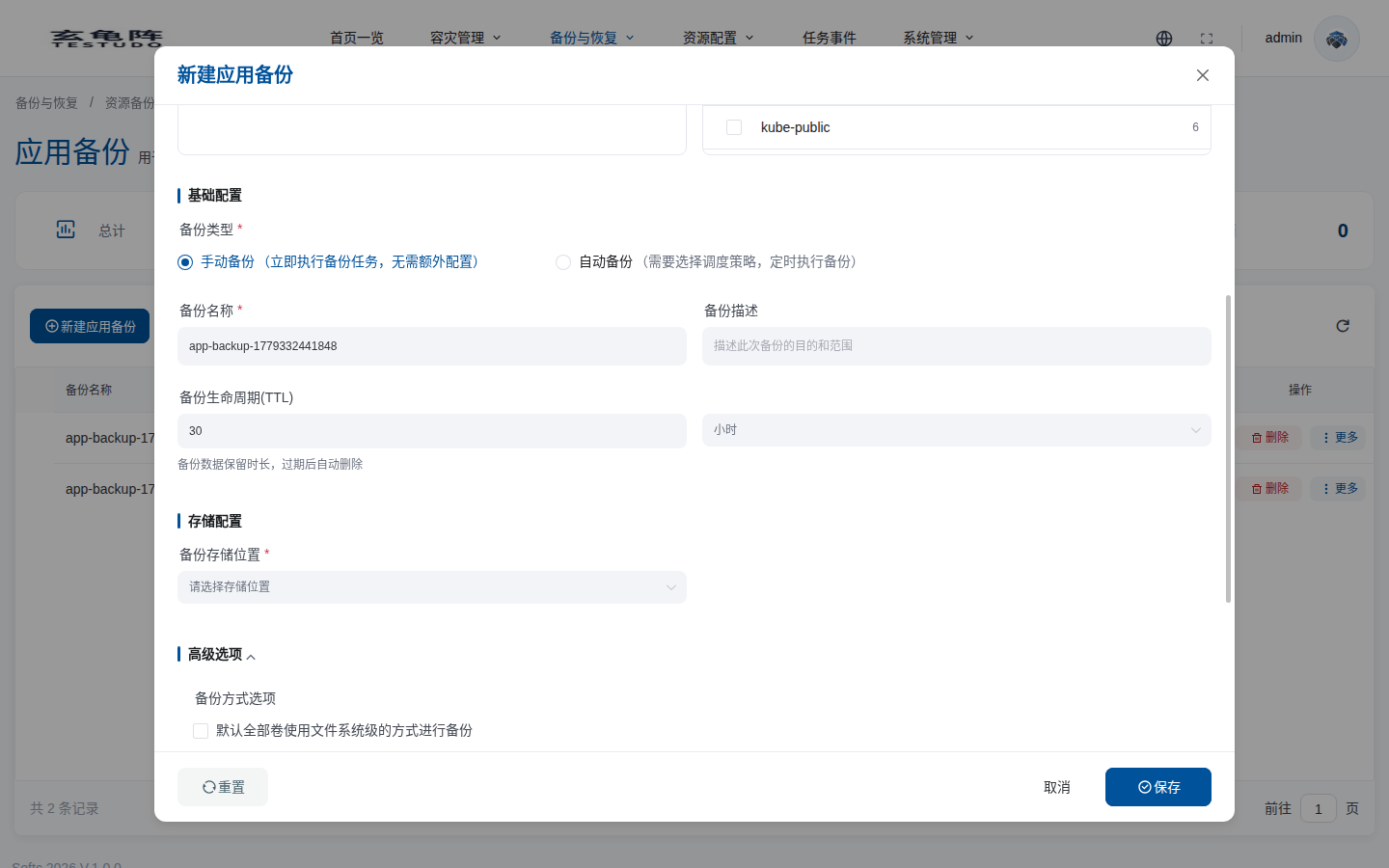
Click Create Backup and select the source cluster and namespaces first. After a cluster is selected, namespaces are loaded from that cluster. Scroll down in the dialog to configure backup type, TTL, storage repository, and advanced resource filters.
Create A Restore
Open Backup And Restore / Application Restore.
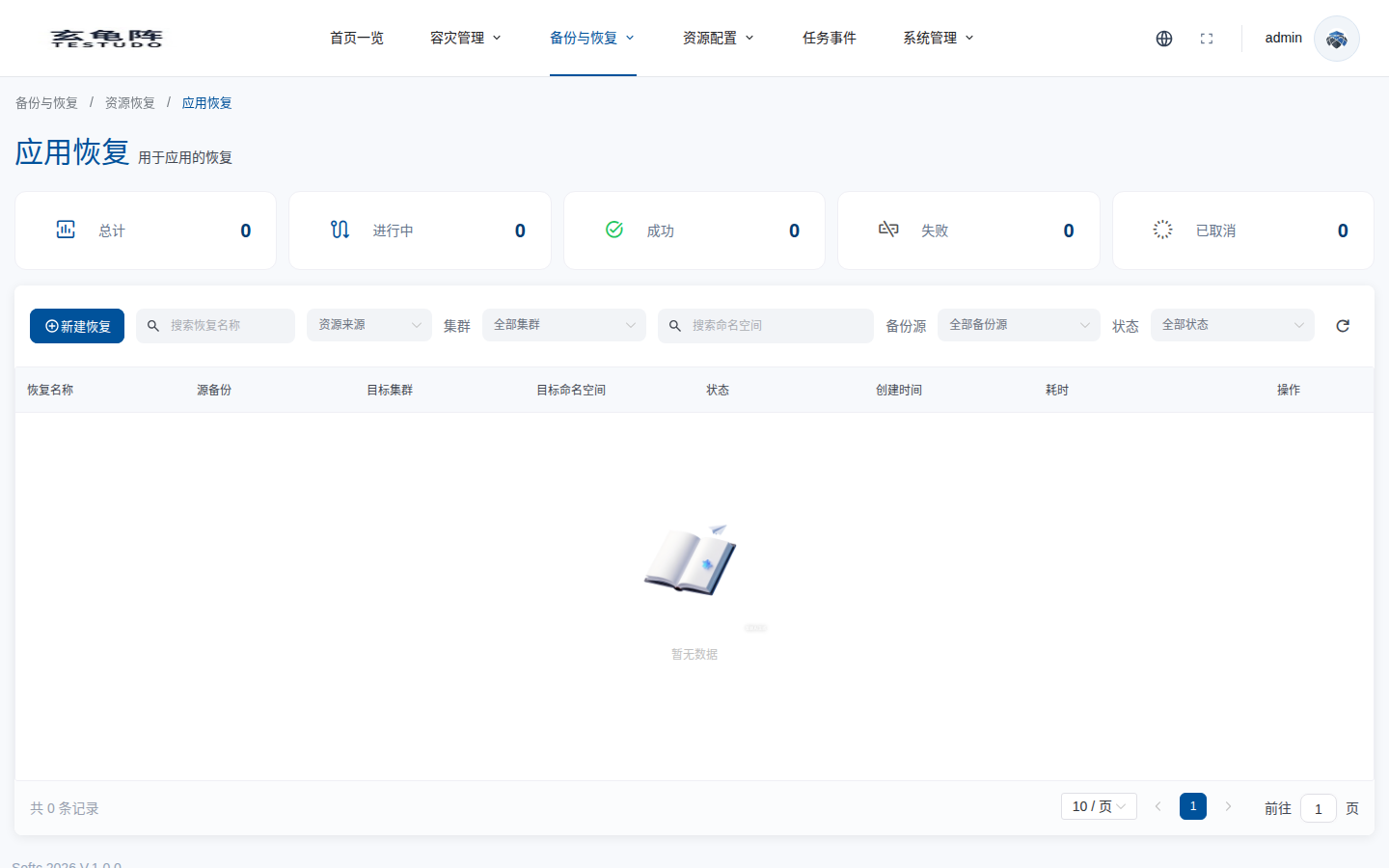
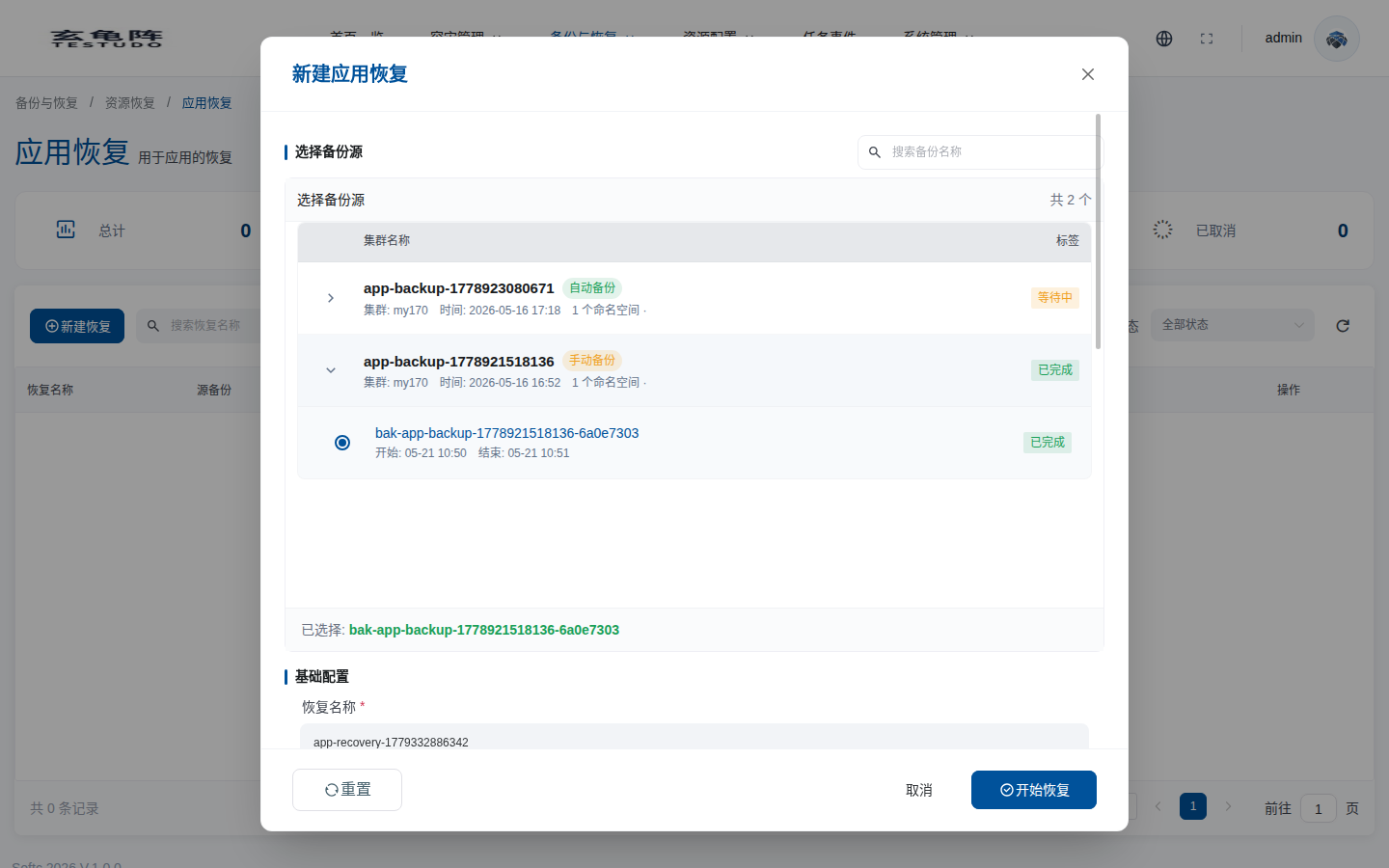
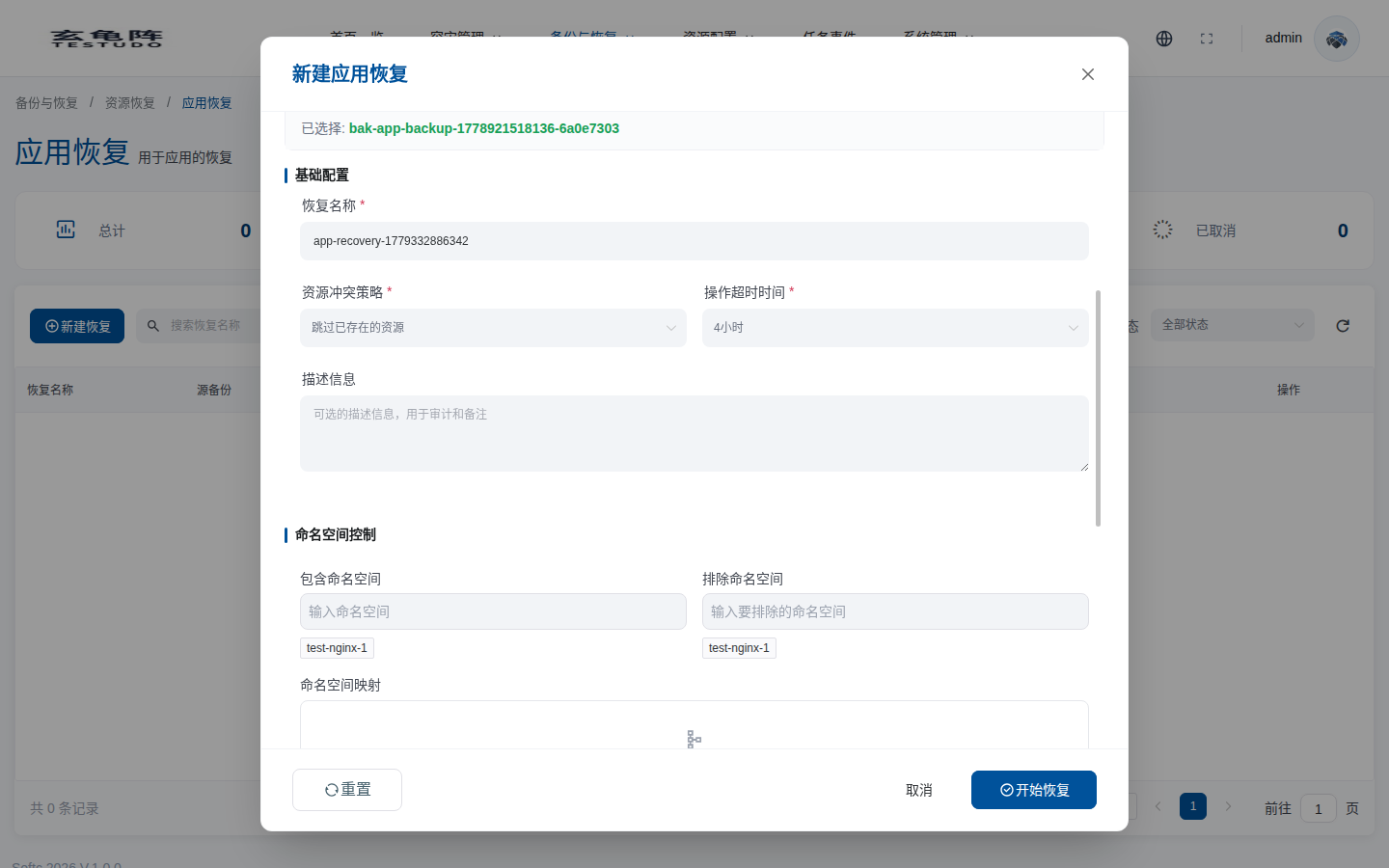
Click Create Restore, expand a backup source, and select one completed backup history. Scroll down to configure restore name, conflict policy, namespace mapping, and advanced restore options.
Verify
kubectl --context prod-b -n demo-bookinfo-restore get all,pvc
kubectl --context prod-b -n demo-bookinfo-restore get events --sort-by=.lastTimestamp
API
POST /apis/appbackups.testudo.softcdata.com/v1/appbackups
POST /apis/apprestores.testudo.softcdata.com/v1/apprestores
GET  /apis/appbackups.testudo.softcdata.com/v1/appbackups/:name/history
POST /apis/apprestores.testudo.softcdata.com/v1/apprestores/preflight/validate