Create The First Disaster Recovery Instance
DisasterInstance is the core resource most users interact with. It answers: which application is protected, where it syncs from and to, and how it should recover.
Prerequisites
- Source and target clusters are registered and Ready.
- Object storage is configured and reachable.
- The application namespace exists on the source cluster.
- Velero backup and restore can run in the application clusters.
Workflow
- Create or choose DR policies, such as AutoBackup, DataSync, and ResourceSync policies.
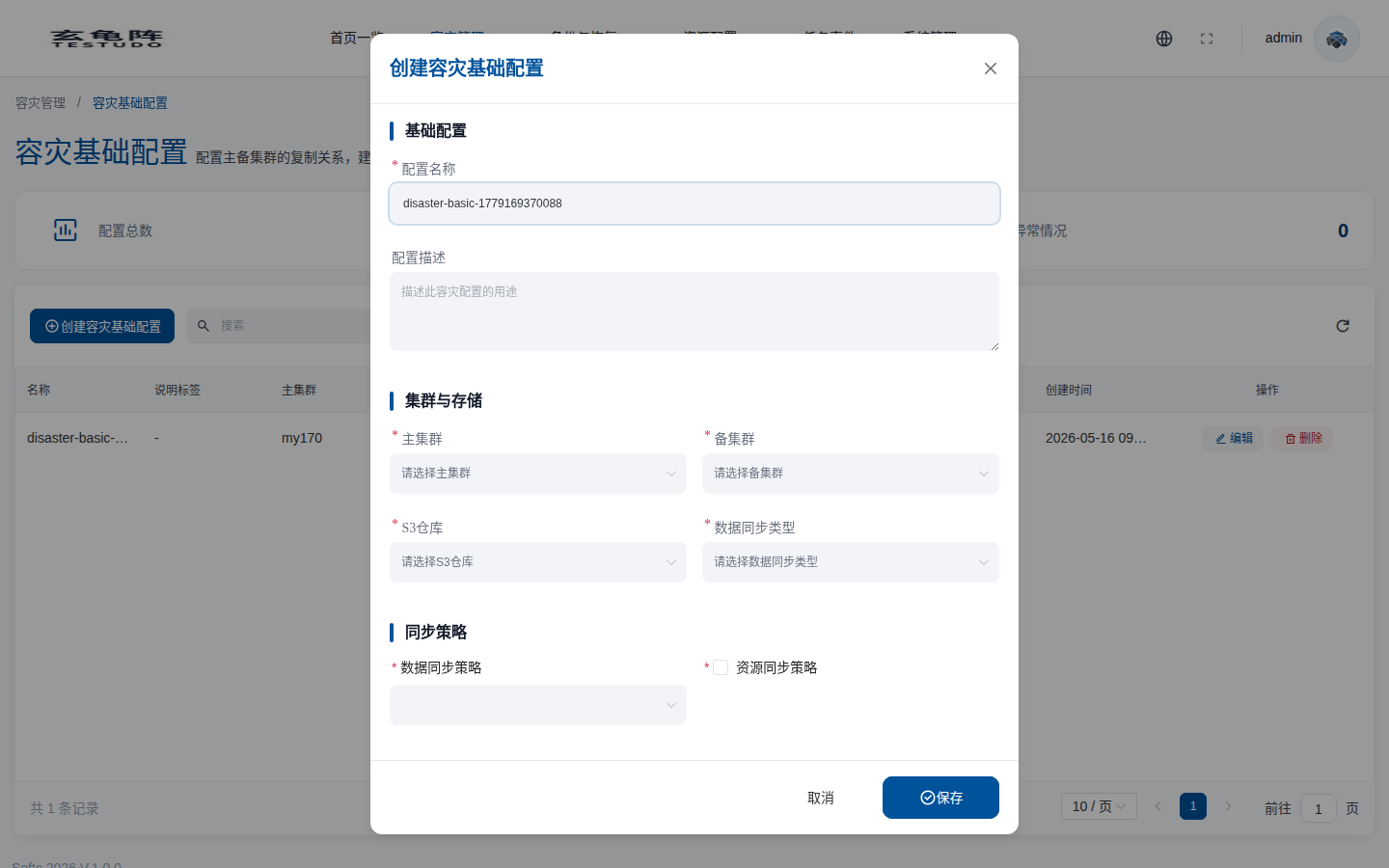
- Create a basic DR configuration with source cluster, target cluster, S3 repository, data sync type, and the sync policies created in the previous step.
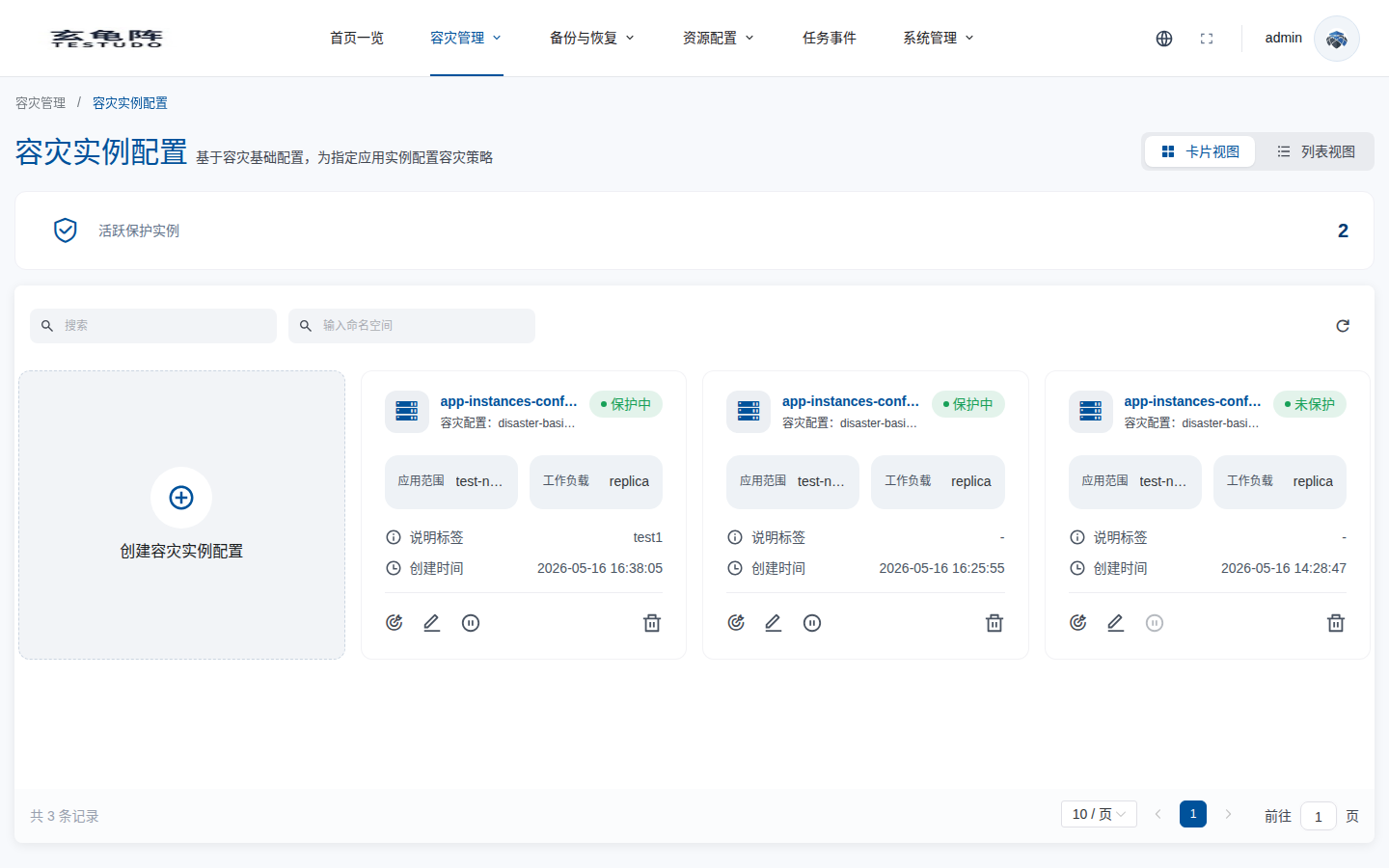
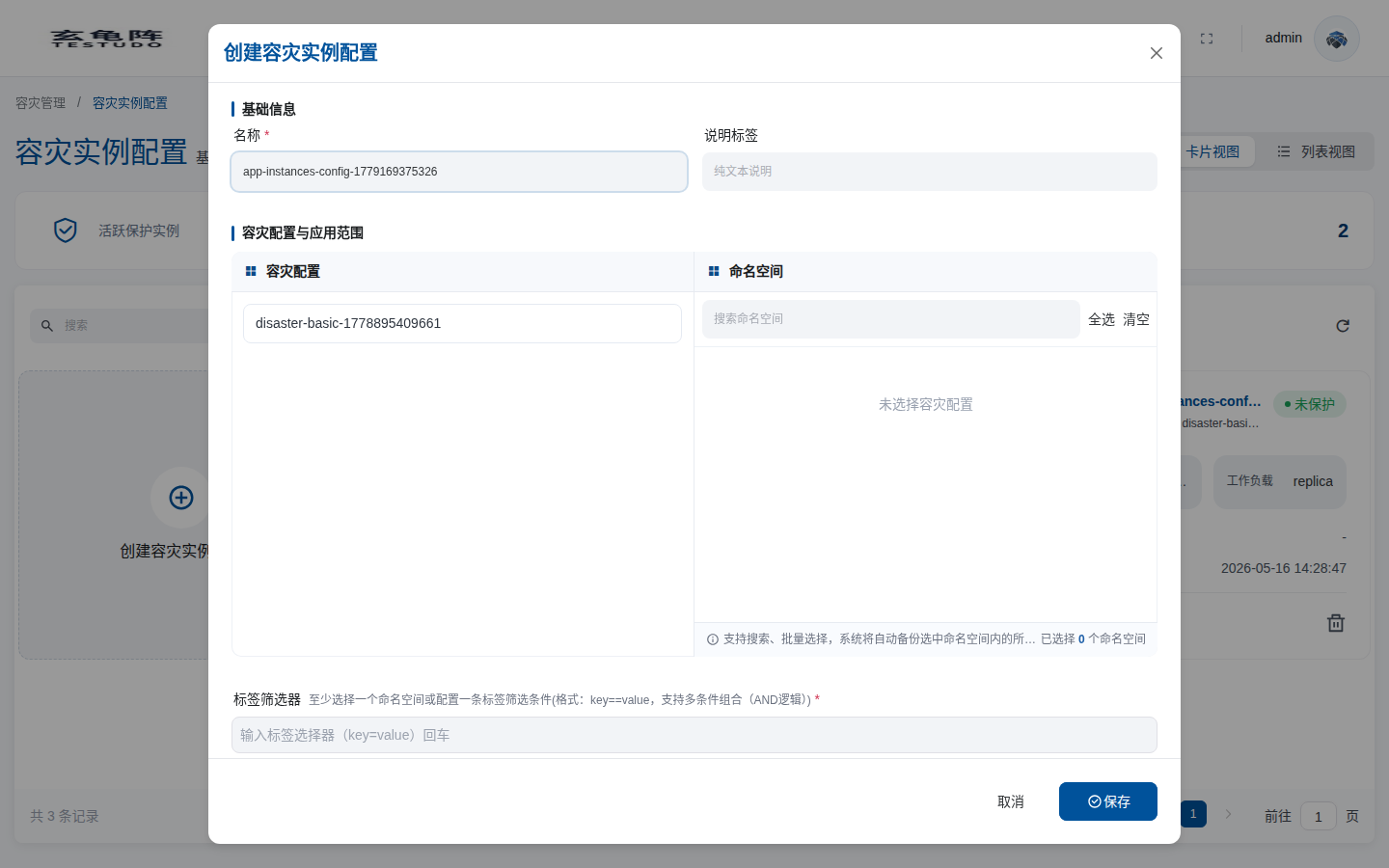
- Create a DR instance configuration and select namespaces or label selectors.
- Configure workload type and advanced options.
- Create the instance and wait for protection to become active.
First create or choose policies from Policy Management. A basic DR configuration references DataSync and ResourceSync policies, so those policies must exist before you create the configuration.
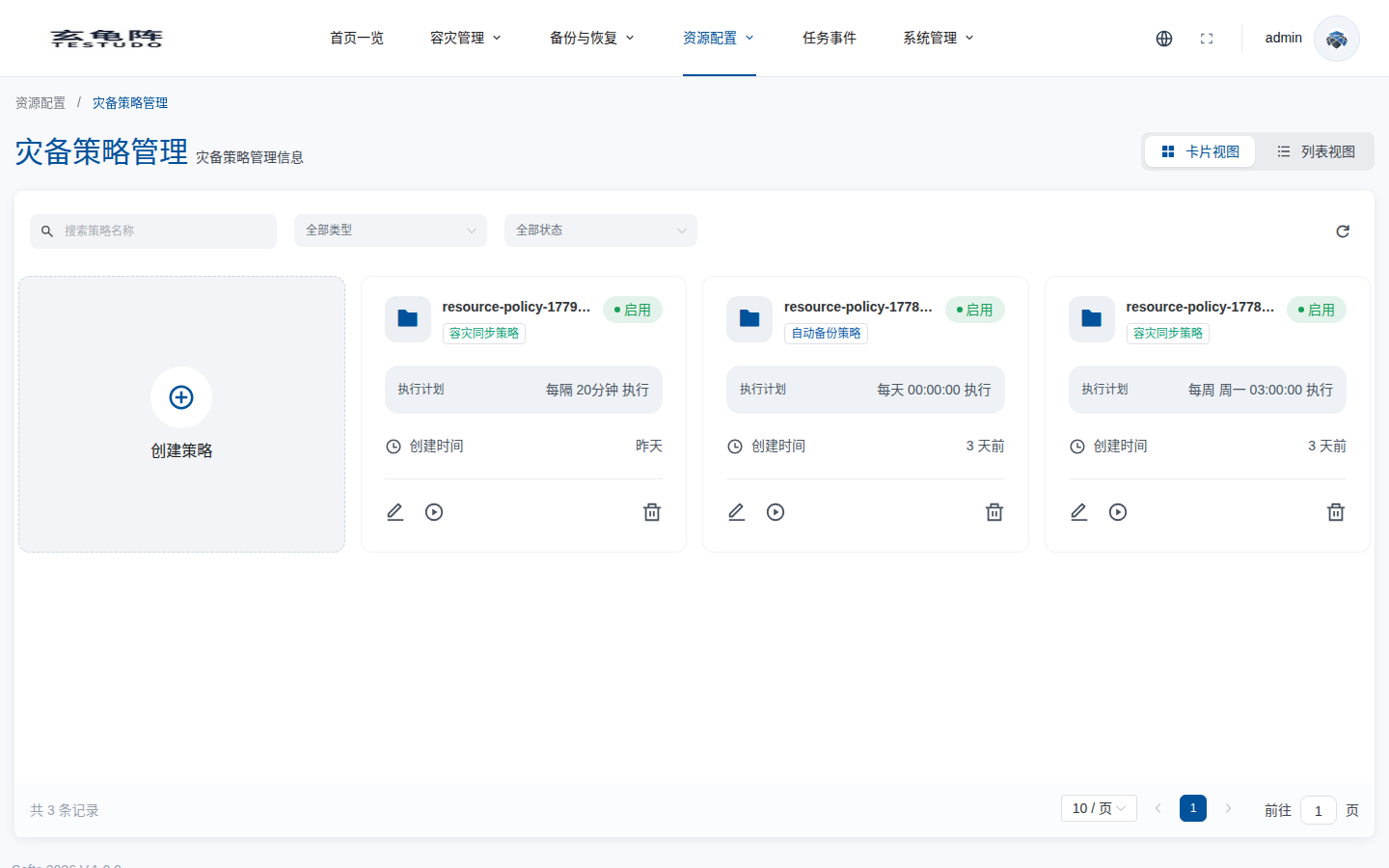
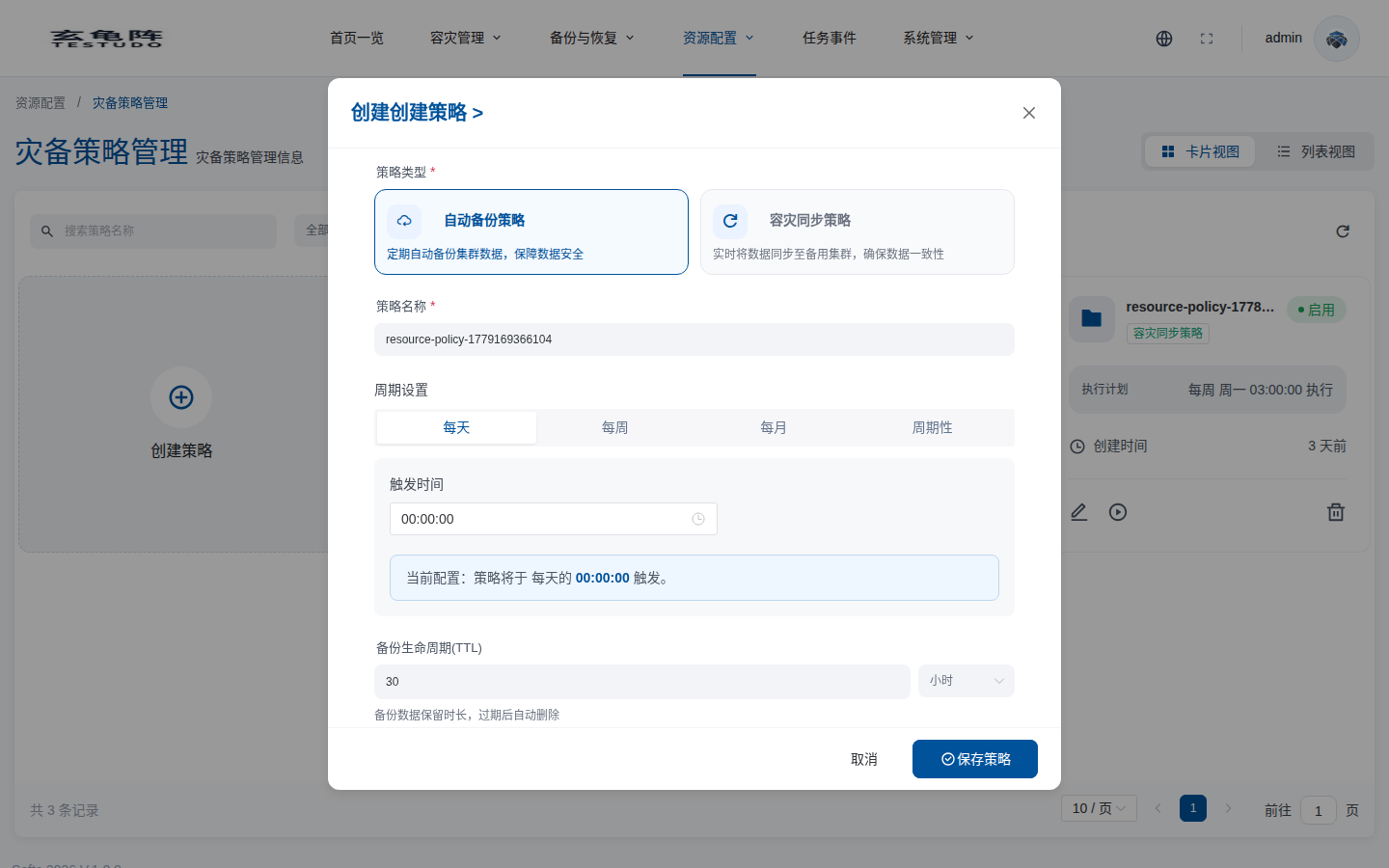
Then open Basic DR Configuration:
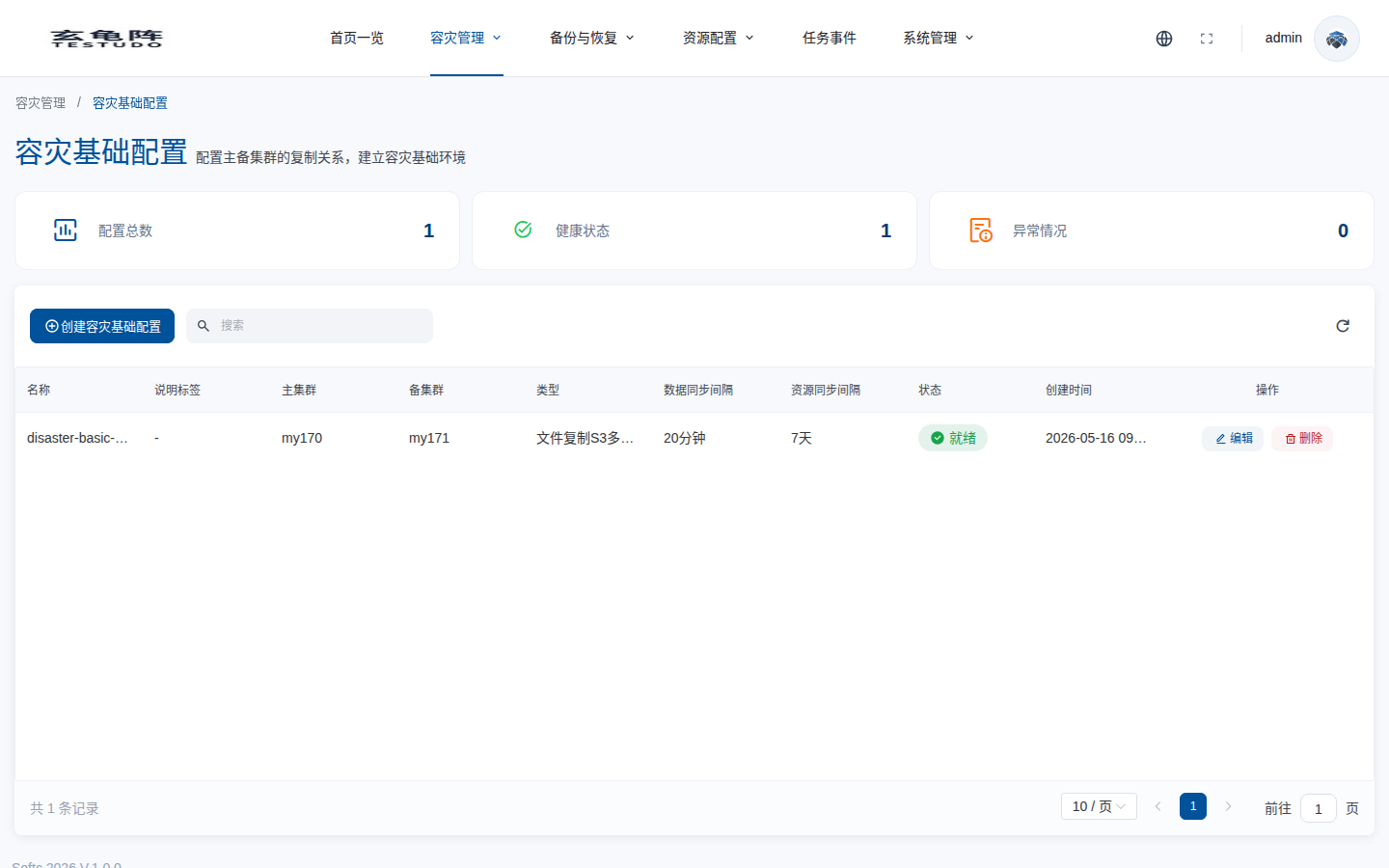
Create the relationship between source cluster, target cluster, storage, sync type, and the selected sync policies:
Then create the instance configuration:
What Happens Next
The operator reconciles the instance through states such as Pending, Initializing, and Protected. If configuration is invalid, check status.reason, status.message, conditions, and events.
Verify
curl /apis/disasterinstances.testudo.softcdata.com/v1/instances
curl /apis/disasterinstances.testudo.softcdata.com/v1/watch/instances
Confirm that DataSync and ResourceSync are Ready and the latest backup and restore histories are successful.