Namespace, StorageClass, And IngressClass Mapping
Restore mapping safely adapts source resources to the target cluster. Cross-cluster restore and drills usually need mapping.
Namespace Mapping
namespaceMapping:
  demo-bookinfo: demo-bookinfo-restore
StorageClass Mapping
| Source | Target |
|---|---|
fast-ssd | standard |
csi-rbd-sc | csi-hostpath-sc |
IngressClass Mapping
If the source uses nginx and the target uses traefik, patch the IngressClass through restore policy or modifiers.
Console
In application restore, scroll down to Namespace control to configure include/exclude namespaces and namespace mapping.
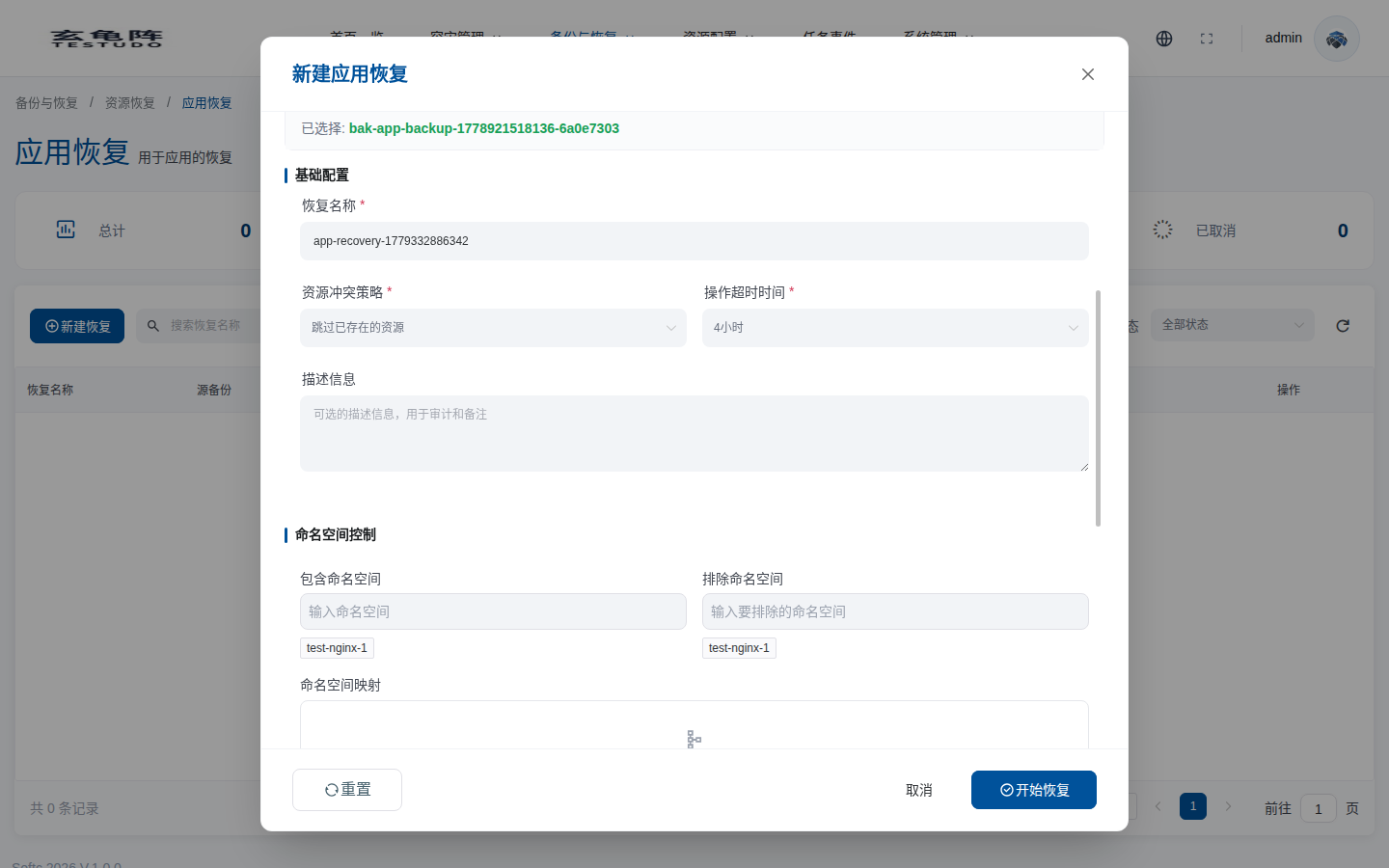
| Option | Meaning | Recommendation |
|---|---|---|
| Include namespaces | Restores only selected source namespaces. | Use for partial restore. Leave empty for full restore. |
| Exclude namespaces | Excludes selected source namespaces. | Exclude temporary, test, or non-target namespaces. |
| Source namespace | Source namespace from the backup. | Select from backup content instead of typing a namespace that does not exist. |
| Target namespace | Namespace created or used on the target cluster. | Use a new namespace for drills to isolate and clean up the restore. |
| Add | Saves the current source / target namespace pair as a mapping rule. | Click Add after filling the pair, otherwise the mapping is not saved. |
Verify
kubectl --context prod-b get ns demo-bookinfo-restore
kubectl --context prod-b -n demo-bookinfo-restore get pvc
kubectl --context prod-b -n demo-bookinfo-restore get ingress -o yaml