Cross-cluster Restore And BSL Preflight
Cross-cluster restore requires the target cluster to read backup data written by the source cluster. Use preflight validation before starting the restore.
Checks
- Target cluster is registered and Ready.
- Target cluster can reach the storage endpoint.
- Velero is usable on the target cluster.
- BackupStorageLocation exists or can be created.
- Backup objects still exist.
- StorageClass, IngressClass, and CRDs match restore needs.
Console
In the restore creation workflow, select the backup source first, then scroll down to Advanced options / Restore options. Enable Cross-cluster recovery and select the target cluster. The platform runs the BSL preflight before saving. If the check fails, fix the target cluster and repository configuration before retrying.
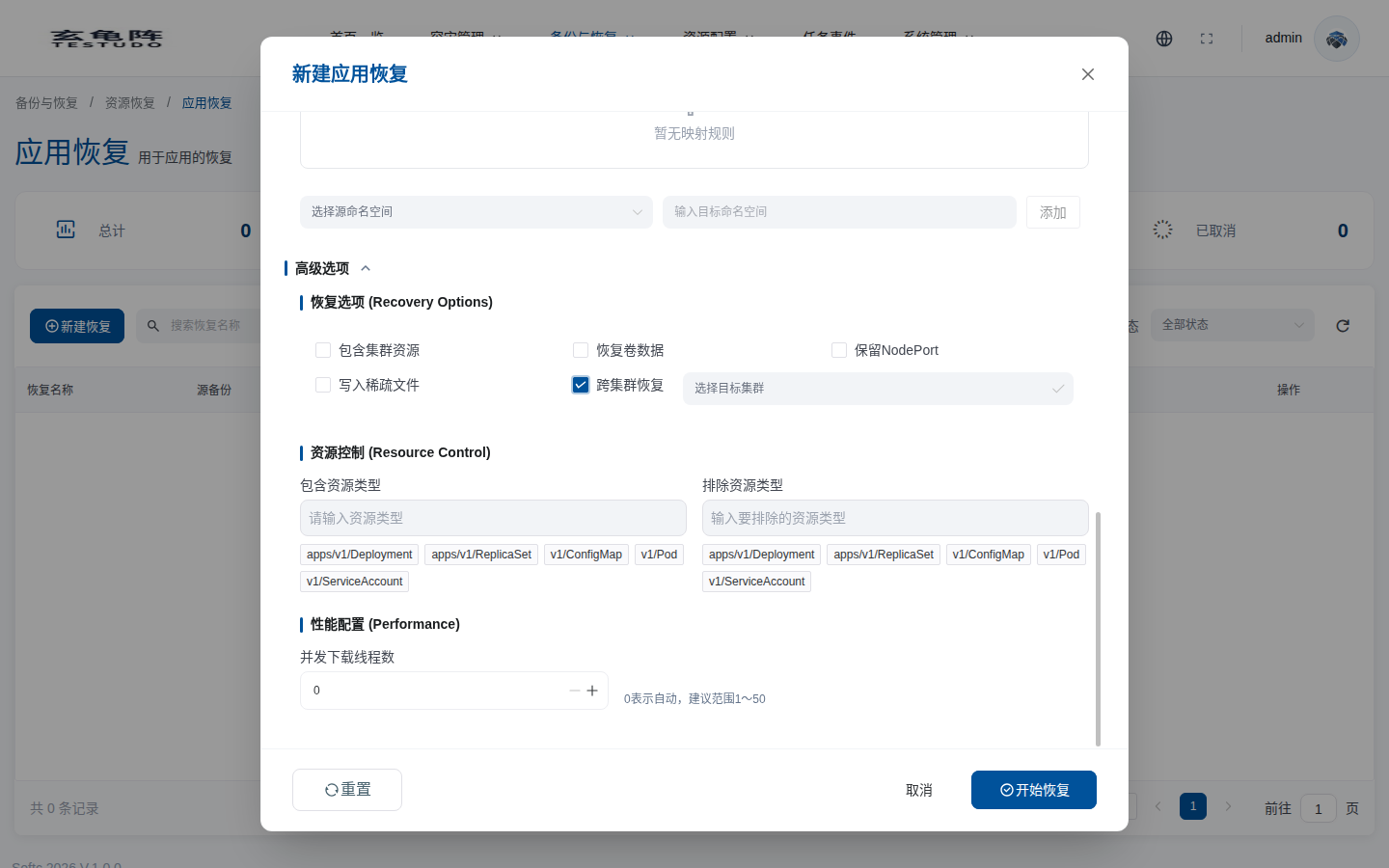
| Option | Meaning |
|---|---|
| Cross-cluster recovery | Restores to the selected target cluster instead of the backup source cluster. |
| Select target cluster | The target cluster must be registered, Ready, and able to access the same object storage repository as the source backup. |
| Restore volume data | Usually required for stateful cross-cluster restore. The target cluster needs a compatible StorageClass and provisioner. |
| Include cluster-scoped resources | Attempts to restore global resources and may conflict with target CRDs, StorageClasses, or IngressClasses. |
| Resource control | Include or exclude resource types to reduce cross-cluster restore conflicts. |
API
POST /apis/apprestores.testudo.softcdata.com/v1/apprestores/preflight/validate
Troubleshooting
kubectl --context prod-b -n velero get backupstoragelocation
kubectl --context prod-b -n velero describe backupstoragelocation <name>
Fix BSL, object storage, and target cluster compatibility issues before retrying.