Handle Restore Conflicts, PVs, And Cluster-scoped Resources
Many restore failures come from target environment mismatches rather than corrupted backups. Define conflict handling before restore.
Existing Resource Policy
| Policy | Use Case |
|---|---|
| Skip | Fill missing resources without overwriting target state |
| Update | Allow backup content to update target resources |
| Replace | Use during a controlled recovery window |
PV And PVC
Confirm compatible StorageClass, CSI behavior, access modes, and capacity on the target cluster. If PV restore is disabled, workloads may start with empty or missing data.
Cluster-scoped Resources
Be careful with CRDs, ClusterRoles, StorageClasses, and IngressClasses. In production, these are often managed by platform installation rather than restore.
Console
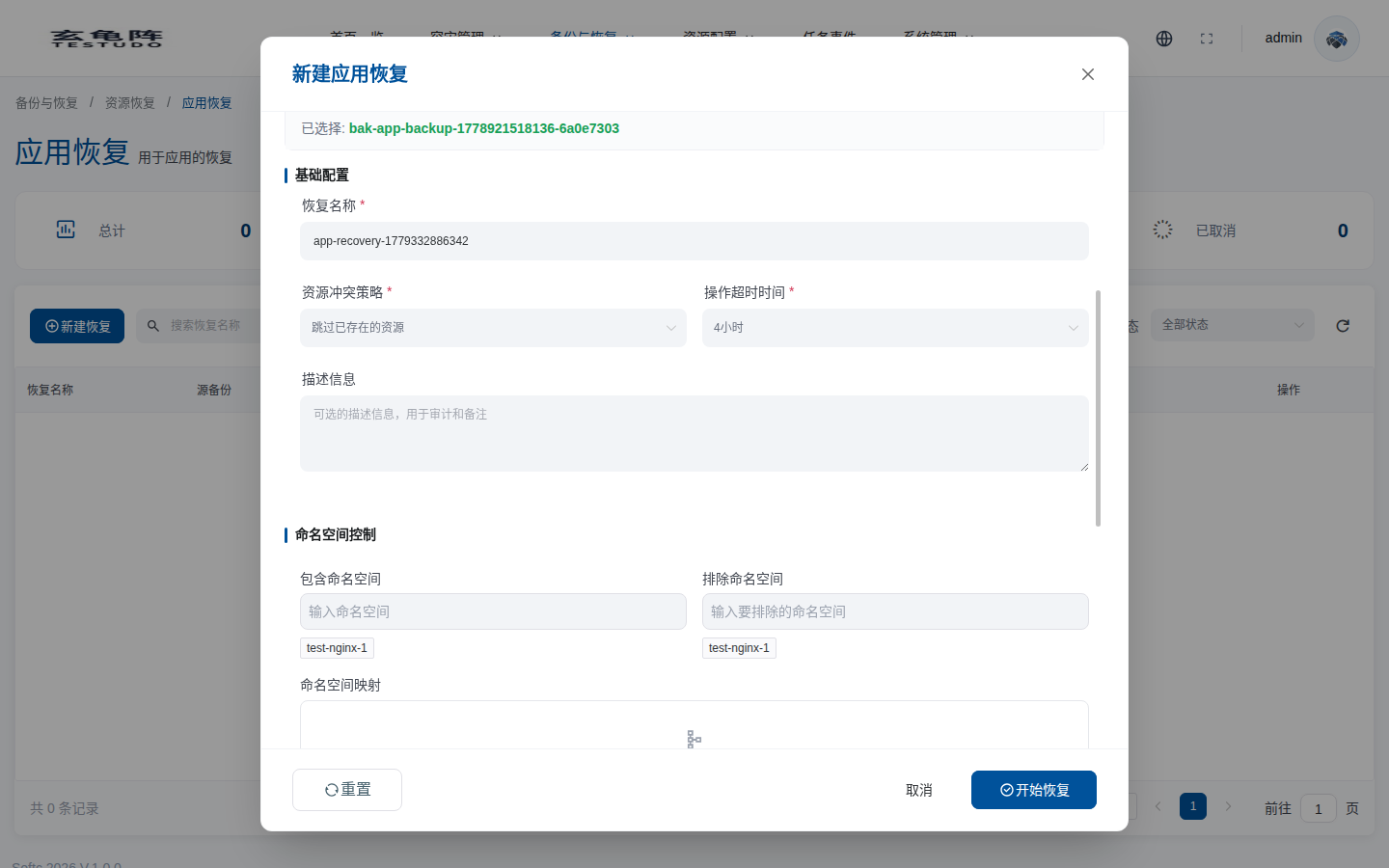
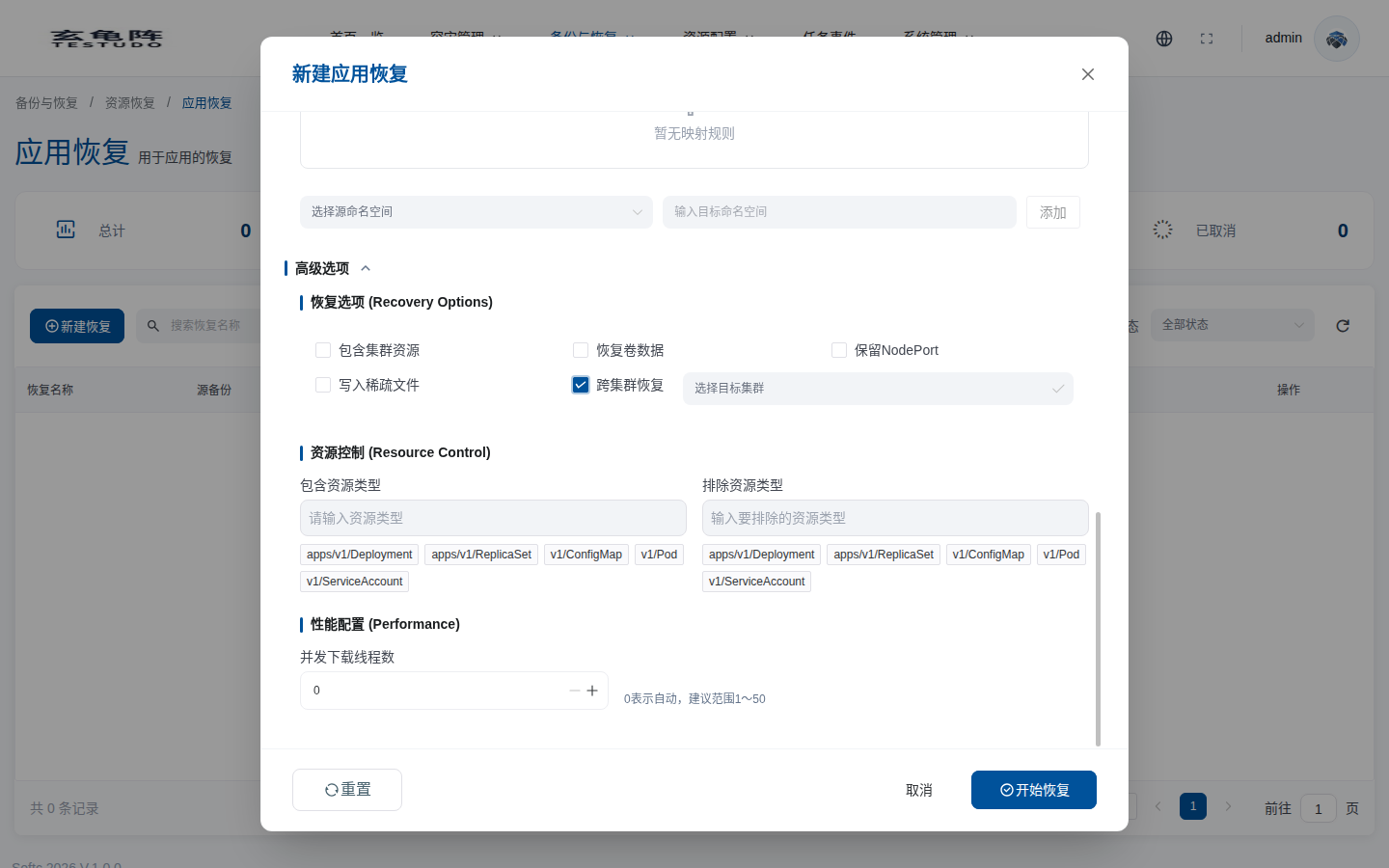
Set resource conflict policy in the basic restore configuration. Configure PV restore, NodePort handling, cluster-scoped resources, and cross-cluster recovery in advanced options.
| Console option | Effect |
|---|---|
| Resource conflict policy | Controls whether existing target resources are skipped or updated. |
| Restore volume data | Controls whether PV/PVC data is restored. If disabled, workloads may restore only declarations and start with empty data. |
| Preserve NodePort | Keeps the source NodePort values. Conflicts occur if the target ports are already used. |
| Include cluster-scoped resources | Restores CRDs, ClusterRoles, StorageClasses, IngressClasses, and similar global resources. |
| Write sparse files | Changes file-system restore write behavior and requires target storage compatibility. |
| Concurrent download threads | Controls file-system restore download throughput. 0 means automatic. |
Troubleshooting
kubectl --context prod-b -n velero describe restore <restore-name>
kubectl --context prod-b -n velero get podvolumerestore
kubectl --context prod-b -n demo-bookinfo-restore get events --sort-by=.lastTimestamp