Create An Application Restore
AppRestore restores a selected backup to a target cluster. It wraps Velero Restore and supports namespace mapping, PV restore, resource conflict policy, and modifiers.
Console Steps
Open Backup And Restore / Application Restore.
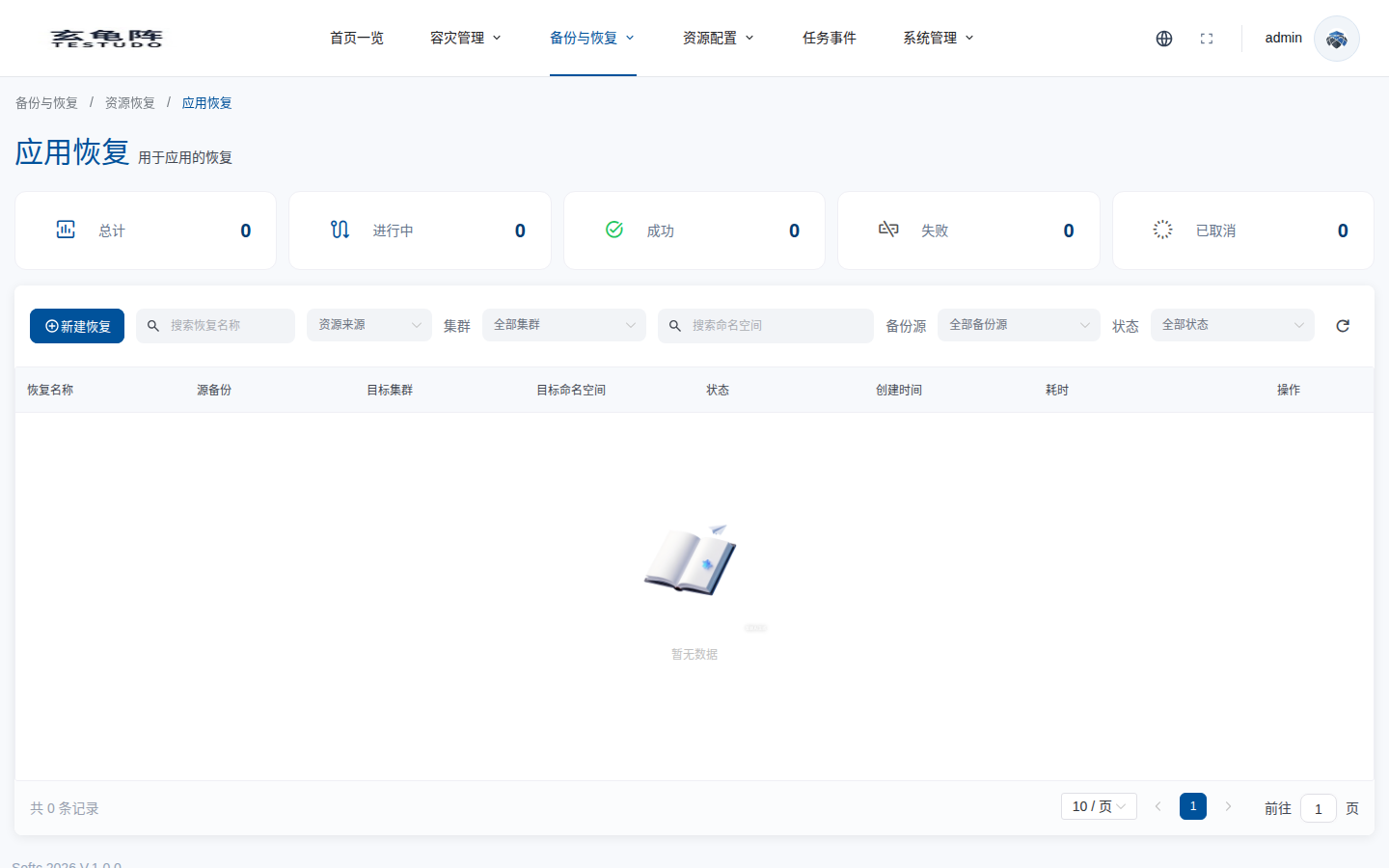
Click Create Restore and select the backup source first. The list shows AppBackup objects. Expand an object and select one completed backup history entry. Only completed histories should be used for restore.
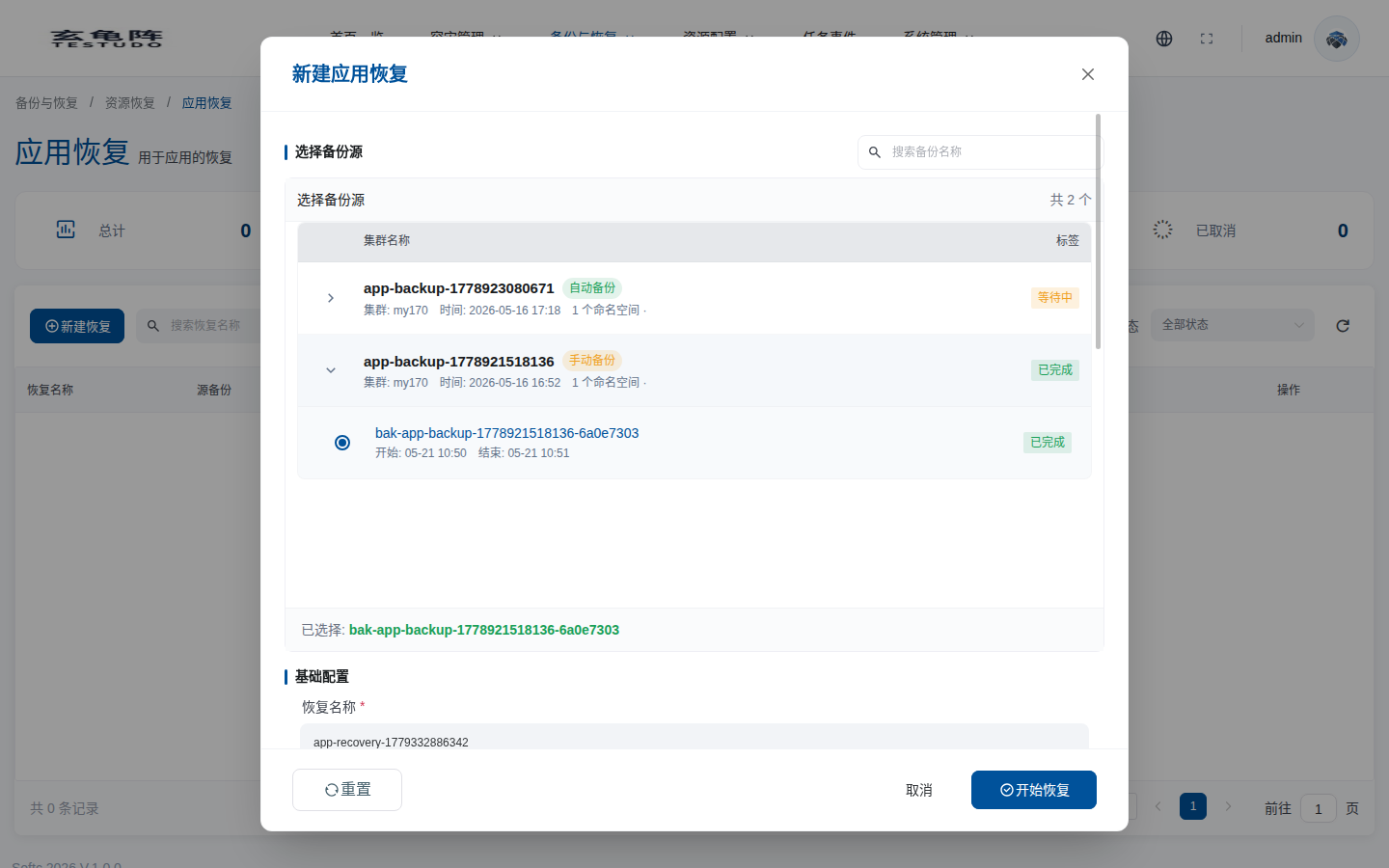
| Option | Meaning | Recommendation |
|---|---|---|
| Search backup name | Filters AppBackup sources by name. | Search by business or environment prefix when there are many backups. |
| Backup source | Shows the AppBackup, source cluster, creation time, namespace count, and status. | Prefer a healthy backup with a clear restore point. |
| Expand backup history | Opens execution histories under an AppBackup. | Auto backups can have many histories; confirm the exact point in time. |
| Backup history | Actual Velero Backup name and execution time. | Select only Completed histories. Do not restore from failed or pending histories. |
| Selected | The backup history that will be restored. | Check it again before saving. |
Basic Configuration And Namespace Control
Scroll down to configure restore name, conflict policy, timeout, and namespace controls.
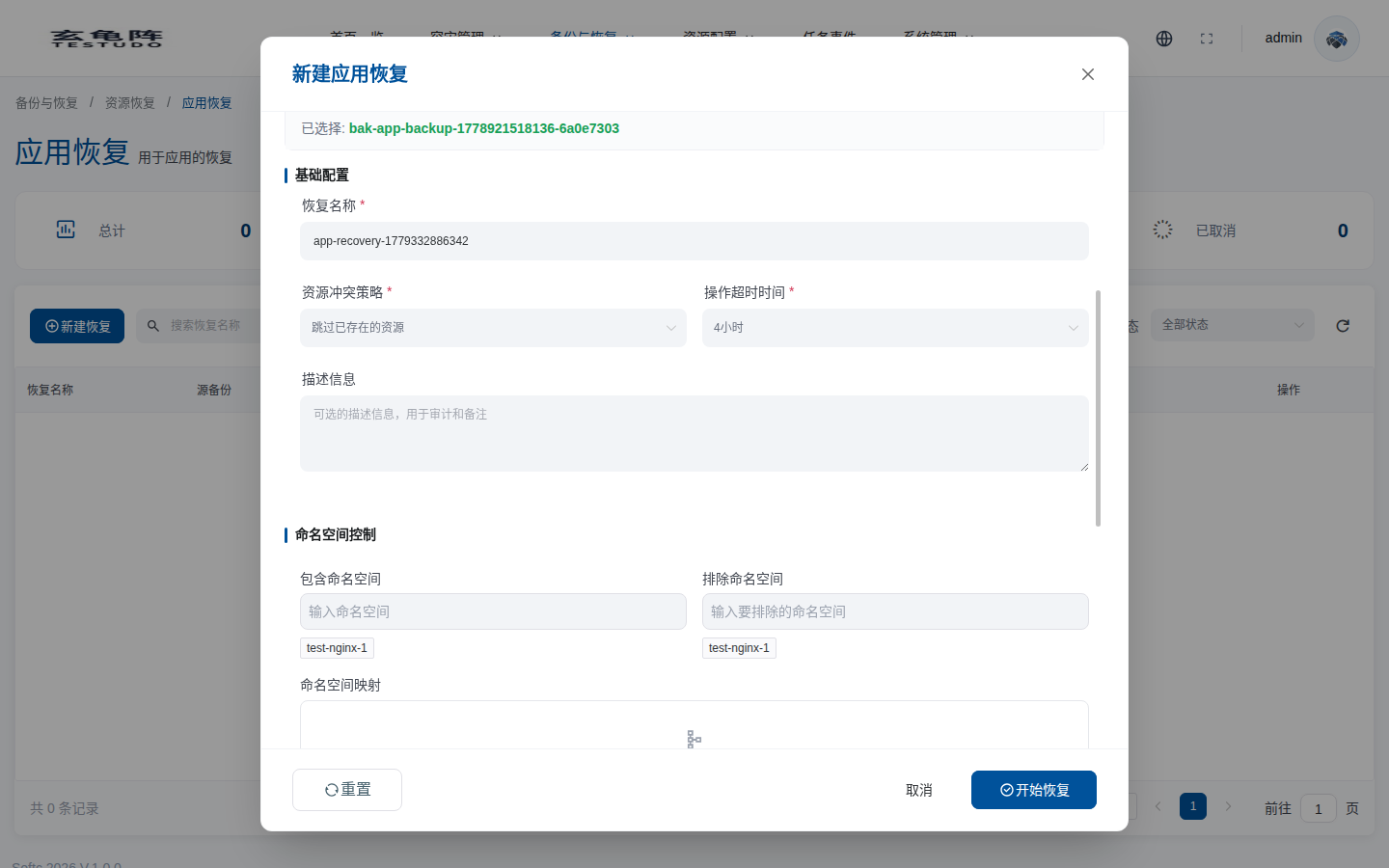
| Option | Meaning | Recommendation |
|---|---|---|
| Restore name | Platform AppRestore object name. | Use business, target cluster, and time semantics, for example bookinfo-dr-restore-20260521. |
| Resource conflict policy | Behavior when the target cluster already has a resource with the same name. The console currently provides Skip existing resources and Update existing resources. | Use skip for drills and tests. Use update only when target resources may be modified. |
| Operation timeout | How long the restore waits for completion. Options are 4, 8, and 12 hours. | Use a longer timeout for large PVCs, cross-region object storage, or constrained target clusters. |
| Description | Restore purpose, change window, or approval information. | Required in practice for production restore audit. |
| Include namespaces | Restores only selected namespaces. Empty follows the backup content. | Use for partial restore. Leave empty for full application restore unless you need narrowing. |
| Exclude namespaces | Excludes selected namespaces from restore. | Exclude temporary, test, or non-target namespaces. |
| Namespace mapping | Restores a source namespace to a different target namespace. | For drills, map to a new namespace such as demo-bookinfo -> demo-bookinfo-restore to avoid overwriting the original namespace. |
Advanced Restore Options
Advanced options include PV restore, NodePort handling, cross-cluster restore, resource type filters, and performance settings. Cross-cluster restore requires selecting a target cluster, and the platform runs a BSL preflight before saving.
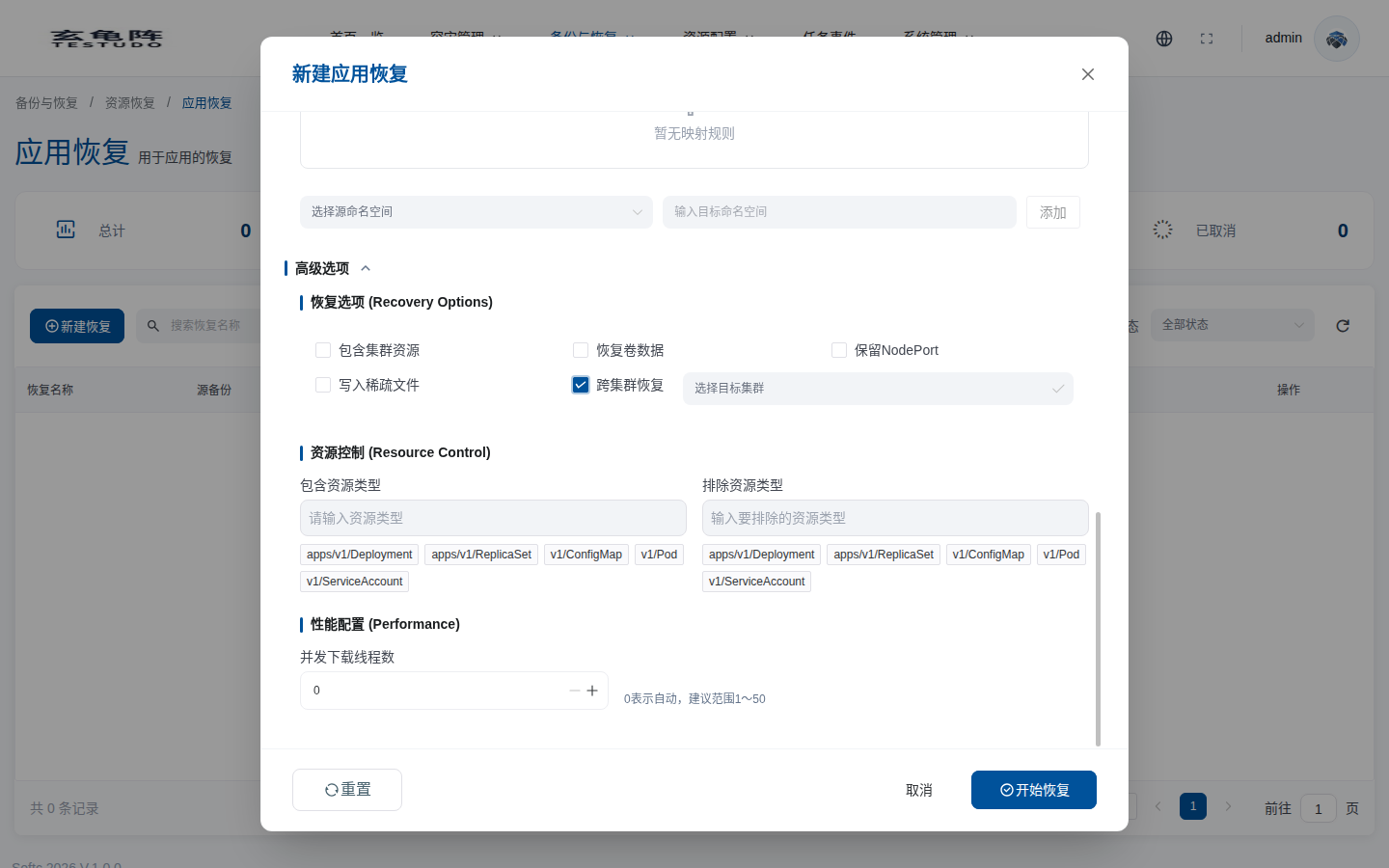
| Option | Meaning | Recommendation |
|---|---|---|
| Include cluster-scoped resources | Restores CRDs, ClusterRoles, StorageClasses, IngressClasses, and similar global resources. | Be careful during cross-cluster restore because target global resources may already exist. |
| Restore volume data | Restores PV/PVC data. | Enable for stateful application data. The target cluster must have a compatible provisioner / StorageClass. |
| Preserve NodePort | Keeps the original NodePort values on restored Services. | Enable only when the target ports are free and external access depends on fixed ports. |
| Write sparse files | Writes file-system backup data as sparse files. | Validate compatibility with the target storage before enabling. |
| Cross-cluster recovery | Restores to a different target cluster. After enabling, select the target cluster and run the BSL / object storage connectivity check. | The target cluster must be able to access the same backup repository used by the source backup. |
| Include resource types | Restores only selected Kubernetes resource types. | Use for partial restore. Leave empty for full restore. |
| Exclude resource types | Excludes selected resource types from restore. | Exclude has higher priority than include. Common examples are events and rebuildable Pods. |
| Concurrent download threads | File-system restore download concurrency. 0 means automatic. | Keep the default 0; increase only when object storage throughput is sufficient. |
Recommended Test Mapping
| Source namespace | Target namespace |
|---|---|
demo-bookinfo | demo-bookinfo-restore |
API
POST /apis/apprestores.testudo.softcdata.com/v1/apprestores
POST /apis/apprestores.testudo.softcdata.com/v1/apprestores/preflight/validate
POST /apis/apprestores.testudo.softcdata.com/v1/apprestores/:name/actions/retry
POST /apis/apprestores.testudo.softcdata.com/v1/apprestores/:name/actions/cancel
Verify
kubectl get apprestore <name> -o yaml
kubectl --context prod-b -n velero describe restore <restore-name>
kubectl --context prod-b -n demo-bookinfo-restore get all,pvc