注册集群
Cluster 资源表示一个可被 Testudo 管理的 Kubernetes 集群。它既可以是源集群,也可以是目标集群。
注册方式
项目支持通过 kubeconfig 或 token+endpoint 风格的凭证访问远端集群。无论使用哪种方式,目标都是让 operator 能够:
- 访问 Kubernetes API。
- 创建和查询 Velero 资源。
- 查询命名空间、工作负载、PVC、StorageClass 等资源。
- 写入恢复过程中需要的资源。
在控制台中进入 资源配置 / 集群配置管理,可以查看已注册集群、按名称或标签检索,并发起新增集群。
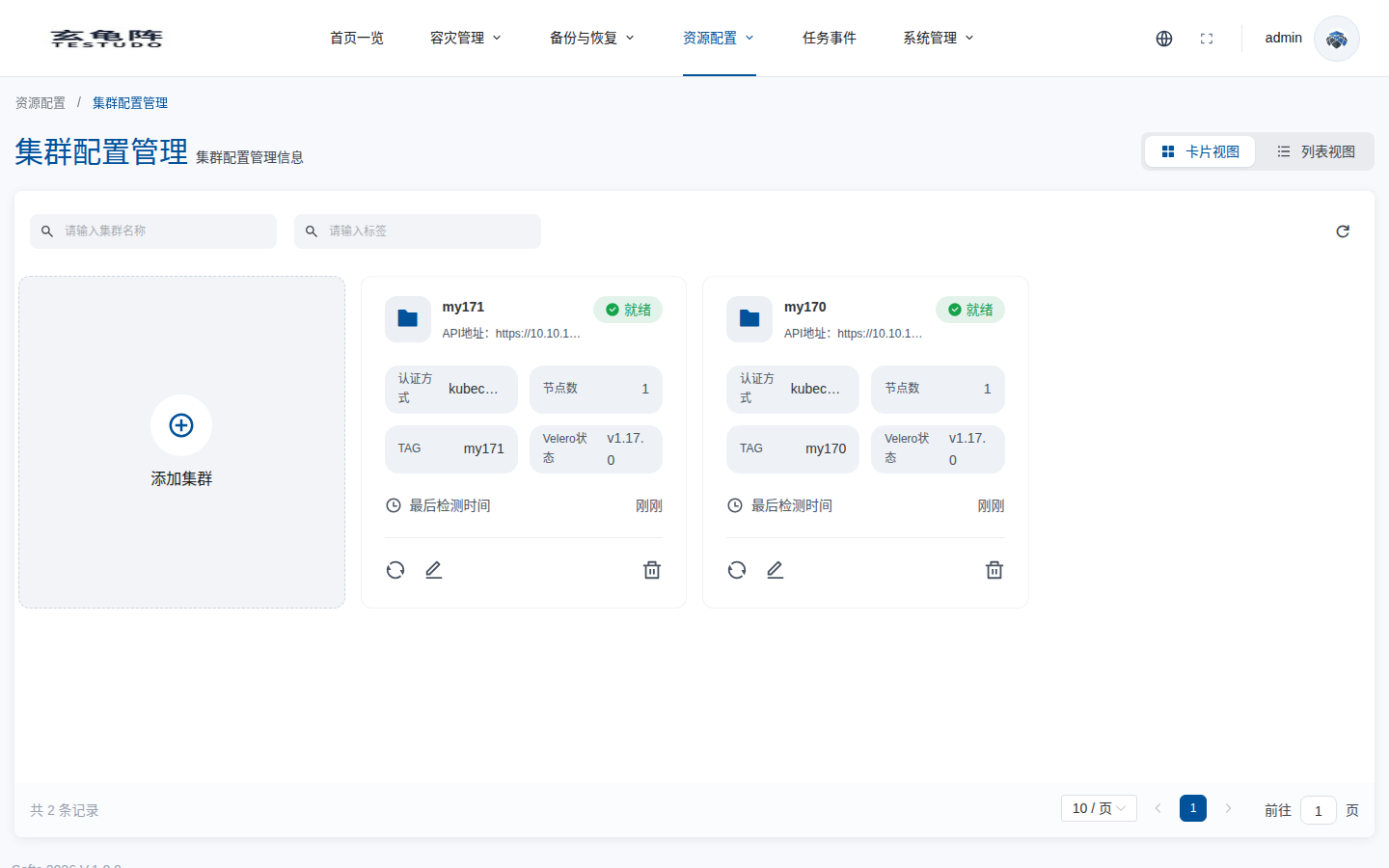
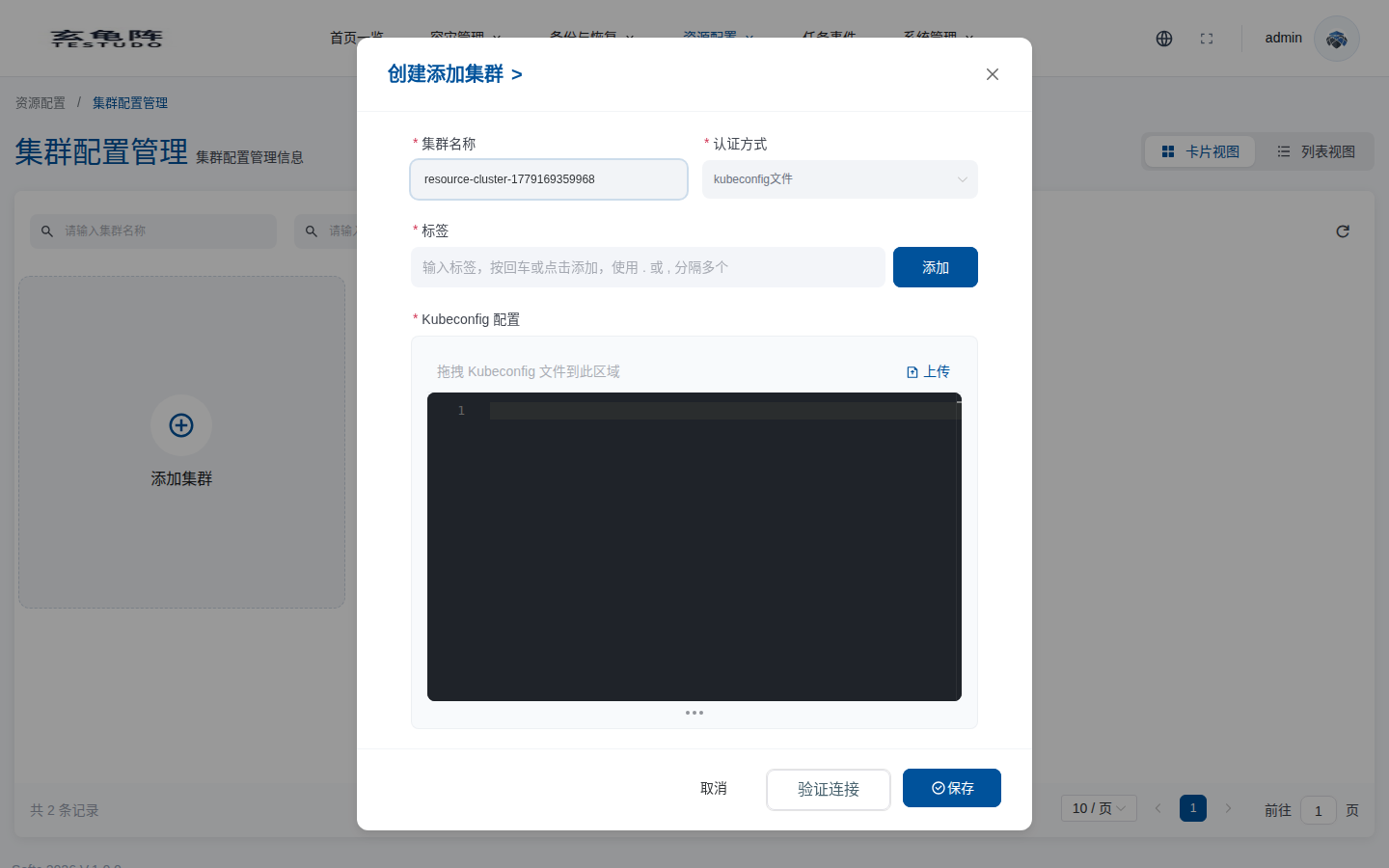
点击 添加集群 后,填写集群名称、认证方式、标签和 kubeconfig。保存前建议先执行 验证连接,确保管理集群到目标 Kubernetes API、Velero 资源和基础资源列表都可访问。
如果业务集群不能访问公网镜像仓库,需要在添加集群时配置 Velero 镜像源,使 Velero 组件可以从内网仓库拉取。详细步骤见 添加集群时配置 Velero 镜像源。
Server API
Server 提供集群管理接口:
GET /apis/cluster.testudo.softcdata.com/v1/clustersGET /apis/cluster.testudo.softcdata.com/v1/clusters/namesPOST /apis/cluster.testudo.softcdata.com/v1/clustersGET /apis/cluster.testudo.softcdata.com/v1/clusters/:name/validatePOST /apis/cluster.testudo.softcdata.com/v1/clusters/kubeconfig/validateGET /apis/cluster.testudo.softcdata.com/v1/watch/clusters
注册后检查
注册后应确认:
- 集群状态为 Ready。
- 可以列出被保护命名空间。
- 可以列出目标集群可用的 restore classes。
- 事件流没有持续的认证或网络错误。
常见问题
- kubeconfig context 指向错误集群。
- token 缺少 Velero namespace 权限。
- 管理集群到远端 API server 的网络不通。
- 远端集群 CA 或 TLS 配置不正确。